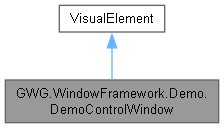
DemoControlWindow is a demonstration class for the Window Framework. It creates a control panel window that showcases the framework's capabilities, such as opening example windows, managing window memory, and customizing window properties. This class is intended for demonstration purposes and is not part of a functional game.
More...
|
| VisualElement | BuildDemoWindowContent () |
| | Builds the content for the demo control window. Includes a description label, buttons for opening example windows, and a footer with additional controls.
|
| Button | CreateButton (string text, System.Action clickAction) |
| | Creates a button with the specified text and click action.
|
| void | CreateInventoryWindowExample (string parentId="InventoryWindow") |
| | Creates and opens an inventory window example.
|
| void | CreateLogViewerWindowExample () |
| | Creates and opens a log viewer window example.
|
| void | OpenInventoryWindow () |
| | Opens the inventory window example. Creates a new inventory window with the specified parent ID.
|
| void | OpenSettingsWindow () |
| | Opens the settings window. Sends the current window to the back and opens the settings window.
|
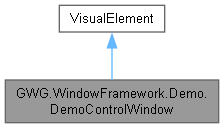
DemoControlWindow is a demonstration class for the Window Framework. It creates a control panel window that showcases the framework's capabilities, such as opening example windows, managing window memory, and customizing window properties. This class is intended for demonstration purposes and is not part of a functional game.
◆ DemoControlWindow()
| GWG.WindowFramework.Demo.DemoControlWindow.DemoControlWindow |
( |
| ) |
|
|
inline |
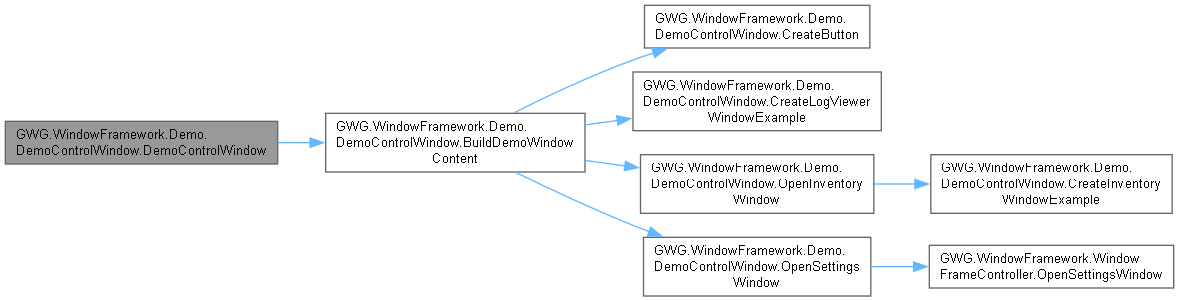
Constructor for the DemoControlWindow. Initializes the window properties and builds the demo content.
- Parameters
-
| parentId | The ID of the parent object for this window. |
◆ BuildDemoWindowContent()
| VisualElement GWG.WindowFramework.Demo.DemoControlWindow.BuildDemoWindowContent |
( |
| ) |
|
|
inlineprivate |
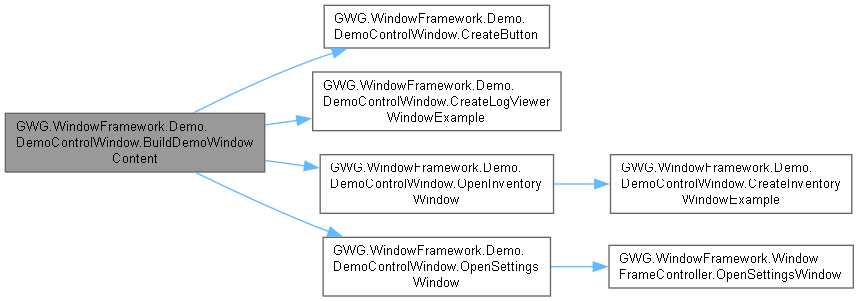
Builds the content for the demo control window. Includes a description label, buttons for opening example windows, and a footer with additional controls.
- Returns
- A VisualElement containing the demo window content.
◆ CreateButton()
| Button GWG.WindowFramework.Demo.DemoControlWindow.CreateButton |
( |
string | text, |
|
|
System.Action | clickAction ) |
|
inlineprivate |
Creates a button with the specified text and click action.
- Parameters
-
| text | The text to display on the button. |
| clickAction | The action to execute when the button is clicked. |
- Returns
- A Button element.
◆ CreateInventoryWindowExample()
| void GWG.WindowFramework.Demo.DemoControlWindow.CreateInventoryWindowExample |
( |
string | parentId = "InventoryWindow" | ) |
|
|
inlineprivate |
Creates and opens an inventory window example.
- Parameters
-
| parentId | The ID of the parent object for the inventory window. |
◆ CreateLogViewerWindowExample()
| void GWG.WindowFramework.Demo.DemoControlWindow.CreateLogViewerWindowExample |
( |
| ) |
|
|
inlineprivate |
Creates and opens a log viewer window example.
◆ OpenInventoryWindow()
| void GWG.WindowFramework.Demo.DemoControlWindow.OpenInventoryWindow |
( |
| ) |
|
|
inlineprivate |
Opens the inventory window example. Creates a new inventory window with the specified parent ID.
- Parameters
-
| parentId | The ID of the parent object for the inventory window. |
◆ OpenSettingsWindow()
| void GWG.WindowFramework.Demo.DemoControlWindow.OpenSettingsWindow |
( |
| ) |
|
|
inlineprivate |
Opens the settings window. Sends the current window to the back and opens the settings window.