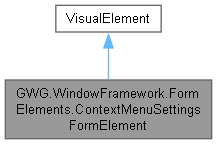
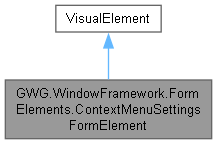
Represents a user interface element for configuring context menu settings within the window framework. This form element allows customization of various context menu behaviors, such as fade time and delay. More...
Public Member Functions | |
| ContextMenuSettingsFormElement () | |
| Initializes a new instance of the ContextMenuSettingsFormElement class. | |
| VisualElement | CreateFormElement () |
| Creates and configures the visual structure for the context menu settings form. | |
Properties | |
| float | ContextMenuDelay [get, set] |
| Gets or sets the delay (in seconds) before the context menu begins to fade out. | |
| float | ContextMenuFadeTime [get, set] |
| Gets or sets the duration (in seconds) for the fade animation of a context menu. | |
Private Member Functions | |
| ~ContextMenuSettingsFormElement () | |
| Finalizer that ensures proper cleanup of event callbacks when the object is destroyed. | |
| void | OnGeometryChanged (GeometryChangedEvent evt) |
| Callback method executed when the geometry of the element changes for the first time. | |
| void | RegisterCallbacks () |
| Registers event callbacks for the slider controls to handle value changes. | |
| EventCallback< ChangeEvent< float > > | UpdateContextMenuDelay () |
| EventCallback< ChangeEvent< float > > | UpdateContextMenuFadeTime () |
Private Attributes | |
| Slider | _contextMenuFadeDelaySlider |
| Slider control for adjusting the context menu fade delay. | |
| Slider | _contextMenuFadeTimeSlider |
| Slider control for adjusting the context menu fade time. | |
Detailed Description
Represents a user interface element for configuring context menu settings within the window framework. This form element allows customization of various context menu behaviors, such as fade time and delay.
This class extends VisualElement and provides a user interface for configuring context menu animation settings. It includes sliders for adjusting fade time and fade delay, and automatically synchronizes these values with the WindowFrameController instance.
The form element is designed to be used in Unity's UI Toolkit system and can be instantiated both programmatically and through UXML markup.
Constructor & Destructor Documentation
◆ ContextMenuSettingsFormElement()
|
inline |
Initializes a new instance of the ContextMenuSettingsFormElement class.
The constructor performs the following operations:
- Sets the flex-shrink style property to 0 to prevent unwanted resizing
- Initializes backing fields with values from WindowFrameController if available
- Creates and adds the form element UI structure
- Registers a one-time geometry changed callback to initialize slider values
The UI elements are created immediately, but their values are synchronized after the first geometry change event to ensure proper initialization timing.

◆ ~ContextMenuSettingsFormElement()
|
inlineprivate |
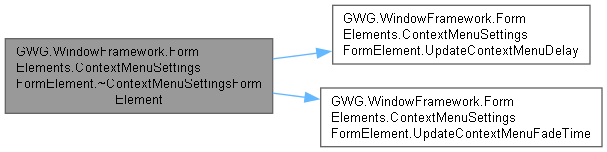
Finalizer that ensures proper cleanup of event callbacks when the object is destroyed.
This finalizer attempts to unregister the value changed callbacks from the slider controls to prevent memory leaks. However, due to the nature of finalizers in .NET, this cleanup is not guaranteed to execute in a timely manner.
Note: In practice, Unity's UI Toolkit automatically handles cleanup of visual element callbacks when elements are removed from the visual tree, so this finalizer serves as additional safety measure.
For more predictable cleanup, consider implementing System.IDisposable and calling cleanup methods explicitly when the element is no longer needed.
Member Function Documentation
◆ CreateFormElement()
|
inline |
Creates and configures the visual structure for the context menu settings form.
- Returns
- A VisualElement containing the complete form structure with title, sliders, and appropriate styling classes.
This method constructs the following UI hierarchy:
- Root container with "context-menu-settings-form" class
- Title label with "Context Menu Settings" text
- Elements container holding the slider controls
- Fade delay slider (0-5 seconds range)
- Fade time slider (0-3 seconds range)
Both sliders include input fields for precise value entry and tooltips for user guidance. The method applies appropriate CSS classes for styling integration.

◆ OnGeometryChanged()
|
inlineprivate |
Callback method executed when the geometry of the element changes for the first time.
- Parameters
-
evt The geometry changed event arguments.
This method is called once after the element is laid out and performs initial value synchronization between the properties and the UI sliders. It also registers the ongoing value change callbacks for the sliders.
The delayed initialization ensures that the WindowFrameController instance is available and the UI elements are properly created before attempting to set their values.


◆ RegisterCallbacks()
|
inlineprivate |
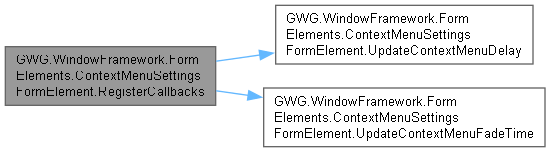
Registers event callbacks for the slider controls to handle value changes.
This method sets up bidirectional binding between the slider controls and the corresponding properties. When a user moves a slider, the associated property is automatically updated, which in turn updates the WindowFrameController if available.
The method includes a safety check to ensure the WindowFrameController instance exists before registering callbacks to prevent null reference exceptions.
Registered callbacks:
- Fade delay slider changes update ContextMenuDelay
- Fade time slider changes update ContextMenuFadeTime

◆ UpdateContextMenuDelay()
|
inlineprivate |

◆ UpdateContextMenuFadeTime()
|
inlineprivate |

Member Data Documentation
◆ _contextMenuFadeDelaySlider
|
private |
Slider control for adjusting the context menu fade delay.
This slider provides a user interface for modifying the ContextMenuDelay property. It has a range from 0.0f to 5.0f seconds with a page size of 0.1f for fine adjustments.
◆ _contextMenuFadeTimeSlider
|
private |
Slider control for adjusting the context menu fade time.
This slider provides a user interface for modifying the ContextMenuFadeTime property. It has a range from 0.0f to 3.0f seconds with input field support for precise value entry.
Property Documentation
◆ ContextMenuDelay
|
getset |
Gets or sets the delay (in seconds) before the context menu begins to fade out.
A float value representing the delay duration in seconds before fade out begins. Valid range is typically 0.0f to 5.0f seconds.
This property specifies the waiting period before the fade-out animation of a context menu is triggered. Modifying this value allows you to customize the timing of context menu closure after being dismissed. A longer delay gives users more time to interact with the menu, while a shorter delay makes the interface more responsive but potentially less user-friendly.
The property automatically synchronizes with the WindowFrameController instance when available, ensuring that changes are immediately applied to the application's behavior.
Store delay as a PlayerPref using the key: WFW_CONTEXTMENU_DELAY.
◆ ContextMenuFadeTime
|
getset |
Gets or sets the duration (in seconds) for the fade animation of a context menu.
A float value representing the fade animation duration in seconds. Valid range is typically 0.0f to 3.0f seconds.
This property determines the time it takes for the context menu to fade in or out when displayed or dismissed. Adjusting this value can modify the user interface experience by making transitions appear faster or slower and is store as a PlayerPref using the key: WFW_CONTEXTMENU_FADETIME and WFW_CONTEXTMENU_DELAY.