The WindowFrameController is the central management component for the Window Framework system. It serves as a singleton that manages window frames, themes, tooltips, context menus, and persistent data. More...


Public Member Functions | |
| void | AddOrUpdateWindowData (string dataKey, WindowFrameData windowData) |
| Updates or adds window configuration data for persistence. | |
| List< StyleSheet > | BuildSheetList () |
| Returns the configured collection composition plus the optional global stylesheet. | |
| bool | CancelPendingModal (WindowFrame window) |
| Removes a detached queued request without presenting it. | |
| void | ClearPreferences (bool forceAll=false) |
| Clears all framework preferences and window memory, resetting everything to defaults. | |
| void | CloseActiveModal () |
| Closes the displayed modal and advances queued requests. No input bindings are installed. | |
| void | CloseAllModals () |
| Discards pending requests, closes the displayed modal and releases its presentation. | |
| void | ConfigurePlayerThemeExtensions (GWG.WindowFramework.Theming.PlayerThemeExtensionRegistry extensions) |
| Supplies compiled purchaser handlers before automatic player-theme initialization. | |
| WindowFrameData | GetWindowData (string dataKey) |
| Retrieves window configuration data by its unique identifier. | |
| bool | InitializePlayerThemes (string folder, Func< IEnumerable< VisualElement > > scopes, out string error, GWG.WindowFramework.Theming.PlayerThemeExtensionRegistry extensions=null) |
| Initializes imported player themes using explicit application-owned UI scopes. | |
| void | OpenSettingsWindow () |
| Opens the built-in settings window for configuring the window framework. | |
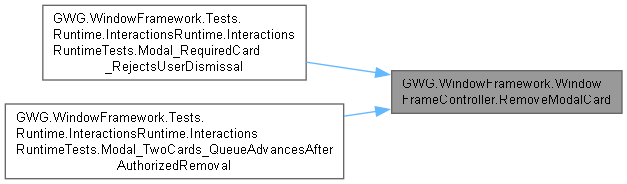
| bool | RemoveModalCard (CardElement card) |
| Application-authorized removal of a specific visible or queued card, with transition. | |
| void | ReopenWindows (float delay=0.1f) |
| Restores previously opened windows from saved data after a specified delay. | |
| void | ReopenWindowsInternal () |
| Performs the actual window restoration from saved data. | |
| void | ResetSettings () |
| Resets all framework settings to their default values while preserving window memory data. | |
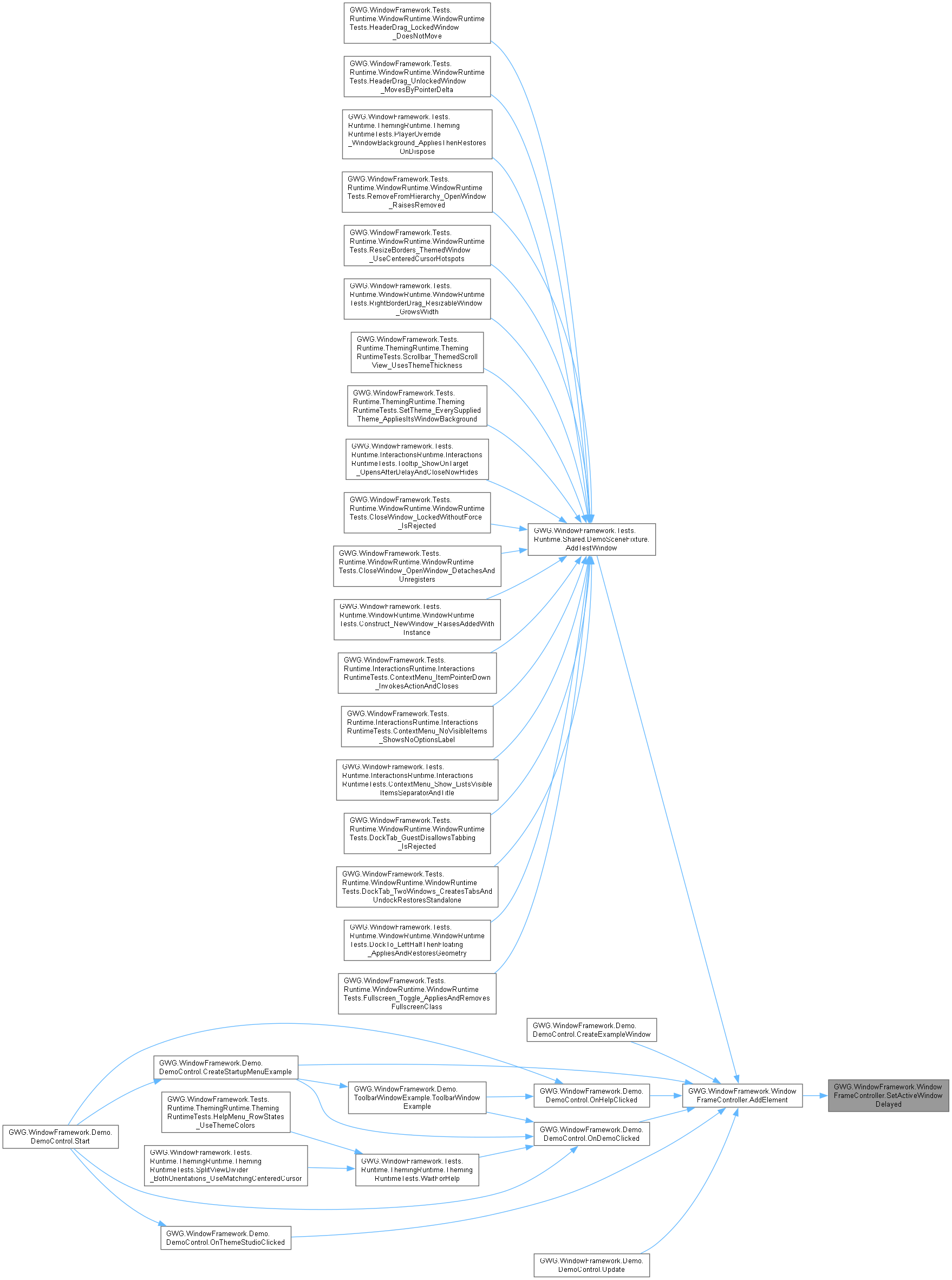
| void | SetActiveWindow (WindowFrame newTarget) |
| Sets the specified window as the active window and deactivates all others. | |
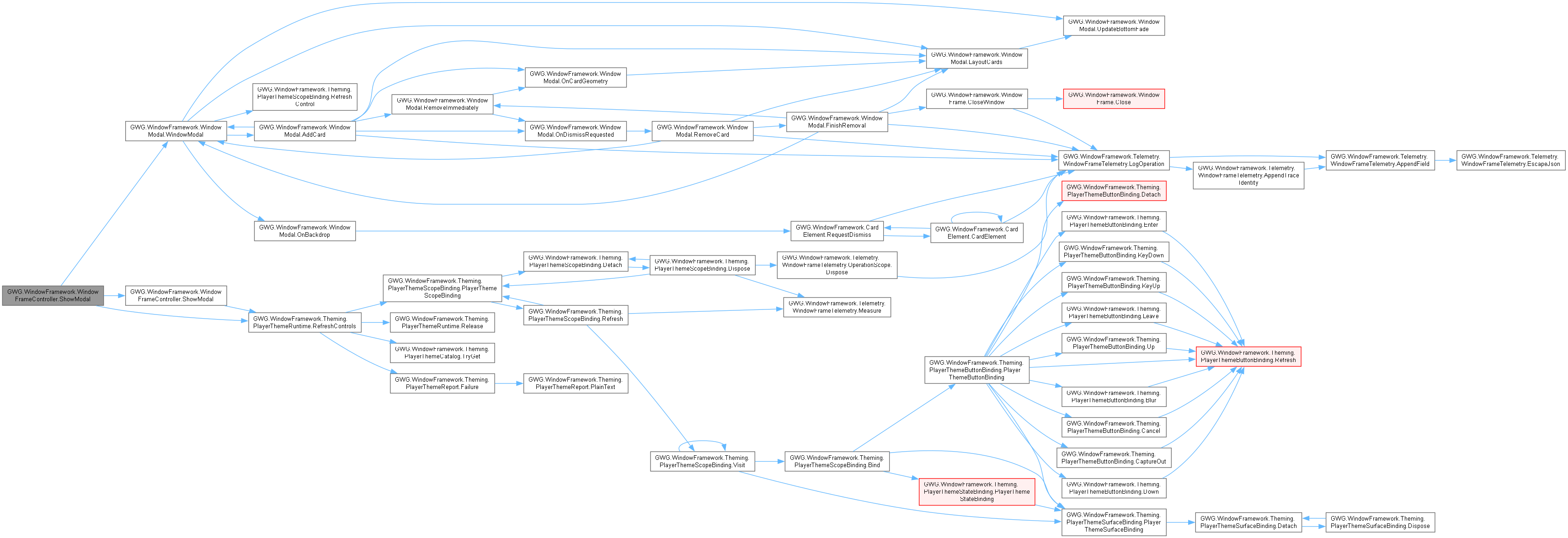
| void | ShowModal (CardElement card, VisualElement initialFocus=null) |
| Adds a non-window card to the visible modal queue. Its styles own px/% card sizing. | |
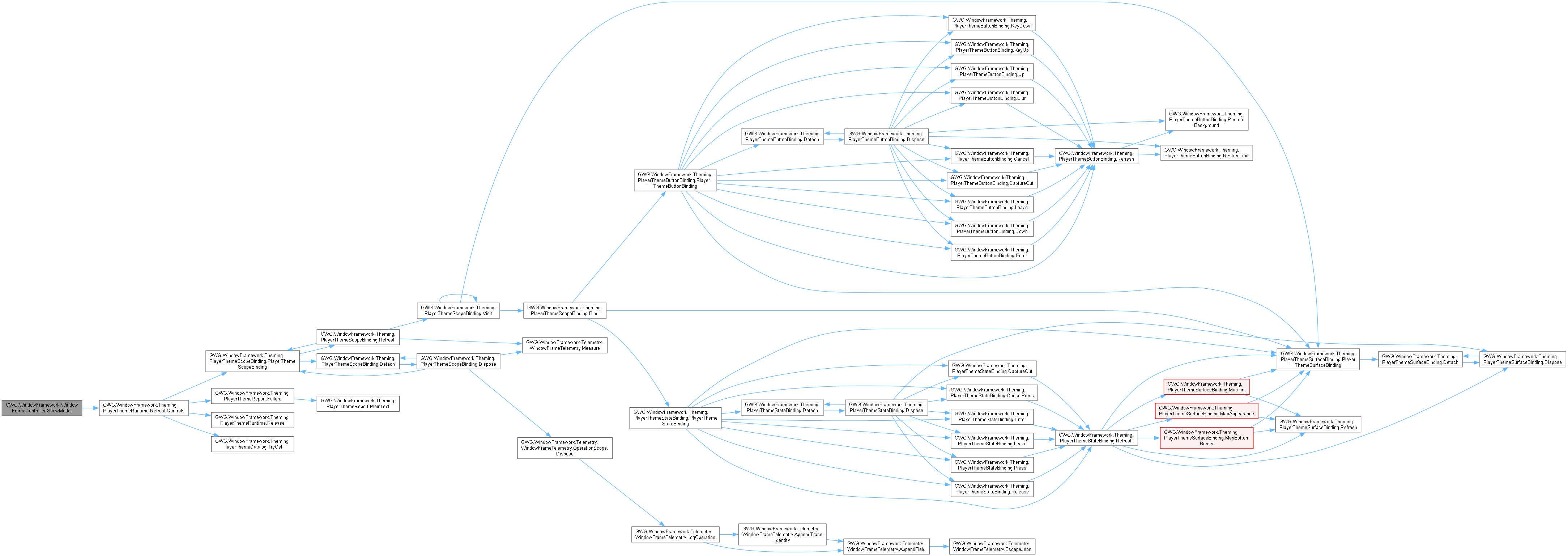
| void | ShowModal (WindowFrame window, VisualElement initialFocus=null, bool dismissOnBackdrop=false) |
| Presents a detached WindowFrame modally in the controller-linked UIDocument. | |
| bool | WasWindowOpen (string dataKey) |
| Checks whether a window was open when framework data was last saved using its exact canonical dataKey. | |
| bool | WasWindowOpen (string parentObjectId, string windowId) |
| Checks whether a window was open when framework data was last saved using its parent object ID and window ID. Provided for backwards compatibility with legacy call sites. | |
| bool | WasWindowOpen (WindowFrame window) |
| Checks whether the specified WindowFrame was open when framework data was last saved. | |
Static Public Member Functions | |
| static void | AddElement (VisualElement newElement) |
| Adds a visual element to the window framework's root element with special handling for WindowFrame instances. | |
| static void | ApplyTooltips () |
| Installs tooltip manipulators in the currently configured discovery scope. | |
| static void | ApplyTooltips (VisualElement root) |
| Applies tooltip manipulators to UI elements within the specified root element. | |
Data Fields | |
| VisualElement | RootElement |
| The root VisualElement that serves as the primary container for all UI elements. | |
| WindowFrameThemeData | themeData |
| The theme data configuration for the window framework. | |
| Dictionary< string, WindowFrameData > | WindowFrameSettingsData = new Dictionary<string, WindowFrameData>() |
| Dictionary storing configuration data for each window frame. | |
Properties | |
| CardElement | ActiveModalCard [get] |
| Gets the currently active non-window card, or null. | |
| WindowFrame | ActiveModalWindow [get] |
| Gets the top modal in this controller's windowing document, or null. | |
| int | ActiveThemeIndex [get] |
| Gets the index of the currently active theme. | |
| List< WindowFrame > | ActiveWindowFrames [get] |
| Gets a list of all currently active window frames in the framework. | |
| float | ContextMenuFadeDelay [get, set] |
| Gets/sets context-menu pre-fade delay in seconds; assignments clamp to zero through five. | |
| float | ContextMenuFadeTime [get, set] |
| Gets/sets context-menu fade duration in seconds; assignments clamp to zero through three. | |
| StyleSheet | CurrentStylesheet [get] |
| Gets the primary stylesheet for the current theme. | |
| List< StyleSheet > | CurrentThemeStylesheets [get] |
| Gets the current list of stylesheets based on active theme settings. | |
| bool | DebugTelemetryEnabled [get, set] |
| Gets or sets whether high-density machine-readable debug telemetry logging is active. | |
| StyleSheet | DefaultStylesheet [get, set] |
| Gets or sets the default stylesheet used when themes are not enabled or set. | |
| VisualElement | GhostIcon [get, set] |
| Gets or assigns the experimental drag-visual reference; getter lazily creates/mounts it. | |
| GlobalsLoadOrder | GlobalsLoadOrder [get, set] |
| Gets or sets the loading Order for global stylesheet relative to theme stylesheets. | |
| StyleSheet | GlobalStylesheet [get, set] |
| Gets or sets the global stylesheet applied across all themes. | |
| static WindowFrameController | Instance [get, private set] |
| Gets the singleton instance of the WindowFrameController. | |
| bool | MemoryEnabled [get, set] |
| Gets or sets the developer-owned controller policy for using window-state memory. | |
| GWG.WindowFramework.Theming.PlayerThemeRuntime | PlayerThemeRuntime [get] |
| Gets the opt-in player-theme owner after successful initialization. | |
| string | SavedThemeId [get] |
| Gets the saved stable theme identity awaiting catalog resolution. | |
| float | TooltipFadeDelay [get, set] |
| Gets/sets tooltip pre-fade delay in seconds using the configured fallback. | |
| float | TooltipFadeTime [get, set] |
| Gets/sets tooltip fade duration in seconds, not the modal motion millisecond token. | |
| TooltipFadeType | TooltipFadeType [get, set] |
| Gets/sets the tooltip fade-mode preference; appearance behavior is handled by the tooltip. | |
| bool | TooltipsActive [get, set] |
| Gets or sets whether tooltips are active and functional. | |
| float | TooltipShowDelay [get, set] |
| Gets or sets the delay before showing tooltips when hovering over elements. | |
| static VisualElement | UIRoot [get] |
| Gets the root VisualElement for the window framework's UI hierarchy. | |
| static WindowFrameTooltip | WindowFrameTooltip [get, set] |
| Gets or sets the static tooltip system instance. | |
Events | |
| static Action< List< StyleSheet >, List< StyleSheet > > | OnThemeChanged |
| Event triggered when the application theme changes. | |
Private Member Functions | |
| void | AddGhostIcon () |
| [EXPERIMENTAL] Creates and configures the ghost icon for drag operations. | |
| void | ApplyThemeToPanel (IPanel panel, List< StyleSheet > sheets) |
| Applies a list of stylesheets to a specific UI panel. | |
| void | Awake () |
| Initializes the WindowFrameController instance during Unity's Awake phase. | |
| WindowFrame | FindActiveWindowFrame () |
| Finds and returns the first active window frame. | |
| WindowFrame | FindFormostWindowFrame () |
| Finds and returns the foremost (top-level) window frame in the UI hierarchy. | |
| IEnumerable< VisualElement > | GetPlayerThemeScopes () |
| void | HandleRootPointerDown (PointerDownEvent evt) |
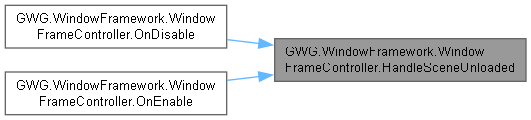
| void | HandleSceneUnloaded (UnityEngine.SceneManagement.Scene scene) |
| void | HandleThemeChanged (int newThemeIndex, StyleSheet newStylesheet) |
| Handles theme change events and applies new stylesheets based on theme configuration. | |
| void | HandleThemeControlAttached (AttachToPanelEvent evt) |
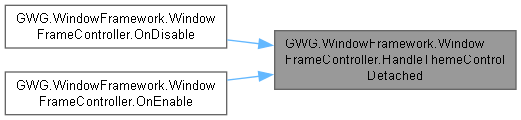
| void | HandleThemeControlDetached (DetachFromPanelEvent evt) |
| void | HandleWindowFrameAdded (WindowFrame window) |
| Handles the event when a new WindowFrame is added to the framework. | |
| void | HandleWindowFrameRemoved (WindowFrame window) |
| Handles the event when a WindowFrame is removed from the framework. | |
| void | InitializeConfiguredThemes () |
| Initializes the configured theme selection using the existing player-theme runtime. | |
| void | LoadWindowFrameworkData () |
| Loads window framework configuration data from persistent storage. | |
| void | OnDestroy () |
| Handles cleanup and data persistence when the component is destroyed. | |
| void | OnDisable () |
| Unsubscribes from events when the component is disabled. | |
| void | OnEnable () |
| void | RefreshSplitViewCursors () |
| Reuses configured stylesheet scopes for cursor-only native split handling. | |
| System.Collections.IEnumerator | ReopenWindowsDelayed (float delay=0.1f) |
| Internal coroutine that handles delayed window restoration. | |
| void | SaveWindowFrameworkData () |
| Saves current window framework configuration data to persistent storage. | |
| void | SetActiveWindowDelayed (WindowFrame newTarget, int delay=5) |
| Sets the active window after a specified delay. | |
| void | SetDefaultValues () |
| Sets all configurable values to their default constants. | |
| void | Start () |
| Starts the existing configured theme session after controller setup. | |
| void | Update () |
Private Attributes | |
| List< StyleSheet > | _appliedStylesheets = new List<StyleSheet>() |
| Internal list tracking currently applied stylesheets for theme management. | |
| InputAction | _clickAction |
| Input action for handling click events within the window framework. | |
| GWG.WindowFramework.Theming.PlayerThemeExtensionRegistry | _configuredThemeExtensions |
| bool | _debugTelemetryEnabled = WindowFrameworkConstants.TelemetryEnabledDefault |
| VisualElement | _ghostIcon |
| [EXPERIMENTAL] The ghost icon element used for drag-and-drop operations. | |
| IDisposable | _interactionTelemetry |
| Subscribes to events and performs initialization when the component is enabled. | |
| int | _legacyThemeIndex = -1 |
| WindowFrameModalHost | _modalHost |
| GWG.WindowFramework.Theming.PlayerThemeRuntime | _playerThemeRuntime |
| string | _savedThemeId |
| readonly Dictionary< VisualElement, GWG.WindowFramework.Theming.SplitViewCursorBinding > | _splitViewCursors |
| bool | _started |
| double | _startupPreviousUpdate |
| Updates the controller state each frame during Unity's Update phase. | |
| int | _startupUpdateSamples |
| bool | _themeControlsRefreshPending |
| string | dataFileName = "WindowFrameData.json" |
| The filename for storing window framework data in the persistent data folder. | |
| StyleSheet | defaultStyleSheet |
| GlobalsLoadOrder | globalsLoadOrder |
| StyleSheet | globalStyleSheet |
| bool | memoryEnabled = true |
| UIDocument | uiDocument |
| The UIDocument providing the single supported managed windowing layer. | |
| List< UIDocument > | uiDocuments = new List<UIDocument>() |
| Retained additional-document references; these do not establish managed window hosts. | |
Static Private Attributes | |
| static WindowFrameTooltip | _windowFrameTooltip |
Detailed Description
The WindowFrameController is the central management component for the Window Framework system. It serves as a singleton that manages window frames, themes, tooltips, context menus, and persistent data.
This component should be attached to a GameObject with a UIDocument component. It automatically handles initialization, event subscriptions, and cleanup operations.
KeyValue Features:
- Singleton pattern for global access
- Theme management and switching
- Window state persistence
- Tooltip system management
- Context menu configuration
- Input handling for UI interactions
The controller persists across scene loads using DontDestroyOnLoad.
Member Function Documentation
◆ AddElement()
|
inlinestatic |
Adds a visual element to the window framework's root element with special handling for WindowFrame instances.
- Parameters
-
newElement The VisualElement to add to the framework
This method inserts into the configured controller root, not an arbitrary UIDocument. WindowFrame deduplication uses VisualElement.name only when the incoming instance disallows multiples. It does not compare ParentObjectId, WindowId or concrete type. A matching registered frame is activated later; the incoming frame is not mounted and its content is not merged.
Other elements and unmatched frames are added to the existing root and receive tooltip application. Requires an initialized root; a missing controller does not create one. Caller owns the supplied content and any subscriptions/resources on an unused duplicate. No return value identifies the selected existing instance; use the application's retained references rather than assuming every constructed frame was accepted.
Supply the window's developer configuration before this call. Mounting an accepted ordinary runtime frame triggers its attachment-stage theme application, then UI Toolkit's first geometry callback, eligible saved-state restoration or existing placement, and the controller-hosted two-frame reveal continuation. AddElement does not call Show, wait for resolved layout or reassign default dimensions. Panel-scoped themes may already be inherited at mounting. Construction's OnWindowFrameAdded notification is separate from attachment.


◆ AddGhostIcon()
|
inlineprivate |
[EXPERIMENTAL] Creates and configures the ghost icon for drag operations.
⚠️ EXPERIMENTAL FEATURE: This method sets up a ghost icon element that can be used for drag-and-drop operations between windows, toolbars, or other UI elements.
The ghost icon is initially hidden and positioned absolutely to follow mouse movement during drag operations. It's semi-transparent to provide visual feedback without obscuring the drop target.
Configuration details:
- Size: 50x50 pixels
- Opacity: 50% (0.5f)
- Position: Absolute positioning at (0,0)
- Visibility: Hidden by default
- Background: Transparent
This is not officially supported and the implementation may change.
◆ AddOrUpdateWindowData()
|
inline |
Updates or adds window configuration data for persistence.
- Parameters
-
dataKey Exact canonical key: concrete window type, parent ID and window ID separated by vertical bars. windowData WindowFrameData object containing window state information
This method manages the window data dictionary that persists window states across application sessions. The data is only stored if MemoryEnabled is true.
The dataKey should be unique for each window instance and follow the format: [WindowType]_[ParentObjectId]_[WindowId]
The windowData contains information such as:
- Window position and size
- Open/closed state
- Lock status
- Custom window properties
Memory-disabled calls are ignored. Stores the supplied record reference under the supplied key without cloning, validating fields or immediately writing disk. Null keys are invalid for the dictionary. Use a stable concrete-type|owner|window key from normal window persistence; arbitrary keys are not automatically repaired or migrated.

◆ ApplyThemeToPanel()
|
inlineprivate |
Applies a list of stylesheets to a specific UI panel.
- Parameters
-
panel The target panel to apply stylesheets to sheets List of stylesheets to apply
This method safely applies stylesheets to a panel by:
- Removing previously applied stylesheets tracked in _appliedStylesheets
- Adding each new stylesheet from the provided list
- Skipping null panels or stylesheets to prevent errors
The method ensures clean theme transitions by removing old styles before applying new ones, preventing style accumulation and conflicts.


◆ ApplyTooltips() [1/2]
|
inlinestatic |
Installs tooltip manipulators in the currently configured discovery scope.
AllPanels enumerates active scene UIDocuments and applies to their existing roots. Other modes use the linked controller root. No controller/theme data means no installation. This does not create roots, wait for asynchronous hydration or grant additional window-host authority. Each root call follows the enabled preference and userData marker contract.

◆ ApplyTooltips() [2/2]
|
inlinestatic |
Applies tooltip manipulators to UI elements within the specified root element.
- Parameters
-
root The parent VisualElement containing child elements that may need tooltips.
This method should be called whenever new UI content is instantiated to ensure tooltip functionality is properly attached. It automatically detects elements with tooltip text and adds the necessary manipulators.
The method prevents duplicate manipulators by checking element userData and only operates when tooltips are enabled in the framework.
Requires a nonnull root and initialized controller. Uses element.userData as the literal marker "hasTooltipManipulator" and overwrites existing userData when installing a manipulator. Preserve application metadata elsewhere when using this integration. The marker is not a retained manipulator reference; clearing it may allow duplicate installs.


◆ Awake()
|
inlineprivate |
Initializes the WindowFrameController instance during Unity's Awake phase.
This method implements the singleton pattern, ensuring only one instance exists. It performs the following initialization steps:
- Establishes singleton instance and prevents destruction on scene load
- Loads saved window framework data from persistent storage
- Initializes the UIDocument component and root visual element
- Creates and configures the tooltip system
- Applies initial tooltip settings to existing UI elements
If multiple WindowFrameController components exist, only the first one becomes the singleton instance; others are automatically destroyed.

◆ BuildSheetList()
|
inline |
Returns the configured collection composition plus the optional global stylesheet.
- Returns
- New list of borrowed sheet references in application order; no assets are loaded or saved.
ComposeStyleSheets supplies ordered shared application sheets and selected settings, respecting legacy self-contained entries. Without theme data only CurrentStylesheet is used. A distinct globalStyleSheet is prepended for First or appended otherwise. Existing references are not duplicated. This does not discover player files or select a theme; portable overrides are applied separately by the existing runtime leases.


◆ CancelPendingModal()
|
inline |
Removes a detached queued request without presenting it.
- Parameters
-
window Exact pending WindowFrame instance, not the currently shown modal.
- Returns
- True if removed from pending requests; false when absent or no modal host exists.
Does not execute a business cancellation callback, close all cards or destroy content.
◆ ClearPreferences()
|
inline |
Clears all framework preferences and window memory, resetting everything to defaults.
- Parameters
-
forceAll If true, forces closure of all windows including locked ones.
Requests CloseWindow for each currently registered frame, replaces the in-memory window record dictionary and calls ResetSettings. With forceAll=false restricted windows can remain. It does not call PlayerPrefs.DeleteAll, delete player-theme folders, or immediately erase every saved framework file. Application confirmation is required before choosing this reset. Subsequent save/lifecycle paths determine durable disk state; not an atomic reset transaction.


◆ CloseActiveModal()
|
inline |
Closes the displayed modal and advances queued requests. No input bindings are installed.
Application-authorized close bypasses user-dismiss restrictions. Do not call from a cancel shortcut while a required-answer form must remain open.
◆ CloseAllModals()
|
inline |
Discards pending requests, closes the displayed modal and releases its presentation.

◆ ConfigurePlayerThemeExtensions()
|
inline |
Supplies compiled purchaser handlers before automatic player-theme initialization.
- Parameters
-
extensions Application-created registry retained for the session lifetime.
WHY: Start restores themes automatically; registering afterward would miss validation, asset import and application. HOW: call from your bootstrap Awake with an explicitly serialized controller reference. All scene Awake callbacks run before Start; no singleton lookup or replacement controller is needed. Build/register handlers first. This method performs no import and changes no serialized configuration. Late registry replacement is refused.
- Exceptions
-
ArgumentNullException Registry is null. InvalidOperationException Start/session initialization has already occurred or another registry was configured.
◆ FindActiveWindowFrame()
|
inlineprivate |
Finds and returns the first active window frame.
- Returns
- The first WindowFrame with Active = true, or null if none found.
This method searches through all WindowFrame elements in the RootElement and returns the first one that has its Active property set to true.
Used internally for window management operations that need to identify the currently active window. Returns null if no windows are active.
◆ FindFormostWindowFrame()
|
inlineprivate |
Finds and returns the foremost (top-level) window frame in the UI hierarchy.
- Returns
- The last WindowFrame in the visual hierarchy, or null if none exist.
This method determines which window appears on top by finding the last WindowFrame in the child Order of the RootElement. In UI Toolkit, later children appear in front of earlier children.
Used when determining which window should be active when no specific target is provided to SetActiveWindow().

◆ GetPlayerThemeScopes()
|
inlineprivate |

◆ GetWindowData()
|
inline |
Retrieves window configuration data by its unique identifier.
- Parameters
-
dataKey Exact canonical key: concrete window type, parent ID and window ID separated by vertical bars.
- Returns
- WindowFrameData object if found, null if not found or memory is disabled
This method retrieves previously saved window data for restoration purposes. Returns null if:
- MemoryEnabled is false
- The dataKey is null or empty
- No data exists for the specified KeyValue
The dataKey must match the stored canonical key exactly: concreteTypeFullName|ParentObjectId|WindowId. This returns the stored record reference, not a deep copy or a newly hydrated UI instance.

◆ HandleRootPointerDown()
|
inlineprivate |

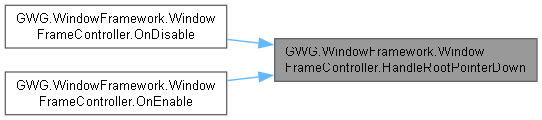
◆ HandleSceneUnloaded()
|
inlineprivate |

◆ HandleThemeChanged()
|
inlineprivate |
Handles theme change events and applies new stylesheets based on theme configuration.
- Parameters
-
newThemeIndex Index of the new theme being applied newStylesheet Primary stylesheet of the new theme
This method responds to theme change events by:
- Building the complete stylesheet list for the new theme
- Applying stylesheets based on the ThemeApplyMethod setting:
- ParentPanel: Applies to the controller's panel only
- AllPanels: Applies to all UIDocument panels in the scene
- WindowFramesOnly: Publishes event for individual window handling
- ParentPanel: Applies to the controller's panel only
- Triggering the OnThemeChanged event for subscribers
- Updating the active window focus state
The method removes only the previously tracked controller references, not arbitrary application-added sheets. Panel scopes install on panel.visualTree and then publish null as the new window-local composition, with the prior tracked list for local cleanup. WindowsFramesOnly publishes the full new list for subscribed windows to install locally. The new composition is recorded after publication, then the existing activation update runs.
AllPanels is stylesheet scope across the available UIDocument panels, not a request to create windows in each document. Ordinary windows attach only to their existing host and may inherit panel sheets installed before their own attachment. Their initial local requests are consumed at attachment before first-layout restoration and reveal. Later theme changes reuse this method and WindowFrame.ApplyControllerTheme; they do not restart opening or reset DefaultWidth/DefaultHeight. Sheet installation is not synchronous layout calculation.


◆ HandleThemeControlAttached()
|
inlineprivate |
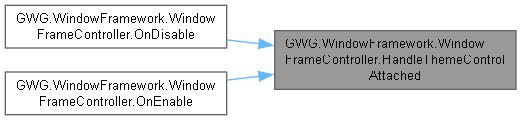
◆ HandleThemeControlDetached()
|
inlineprivate |
◆ HandleWindowFrameAdded()
|
inlineprivate |
Handles the event when a new WindowFrame is added to the framework.
- Parameters
-
window The WindowFrame instance that was added
WindowFrame.RegisterCallbacks publishes this notification during construction, before mounting or usable attached layout. The handler schedules BringToFront through the window's existing element scheduler. Its ActiveWindowFrames conditional contains no registration operation; this handler does not populate a separate window registry. It does not attach, style, restore, resize or reveal the new window. Those stages remain in AddElement and the WindowFrame attachment/first-layout opening sequence.

◆ HandleWindowFrameRemoved()
|
inlineprivate |
Handles the event when a WindowFrame is removed from the framework.
- Parameters
-
window The WindowFrame instance that was removed
This event handler is automatically called when any WindowFrame is removed from the UI hierarchy. It performs cleanup operations:
- Closes and clears any active tooltips
- Removes the window from ActiveWindowFrames list if present
- Updates the active window focus (typically to the next topmost window)
The cleanup ensures that UI state remains consistent after window removal and prevents references to destroyed windows.


◆ InitializeConfiguredThemes()
|
inlineprivate |
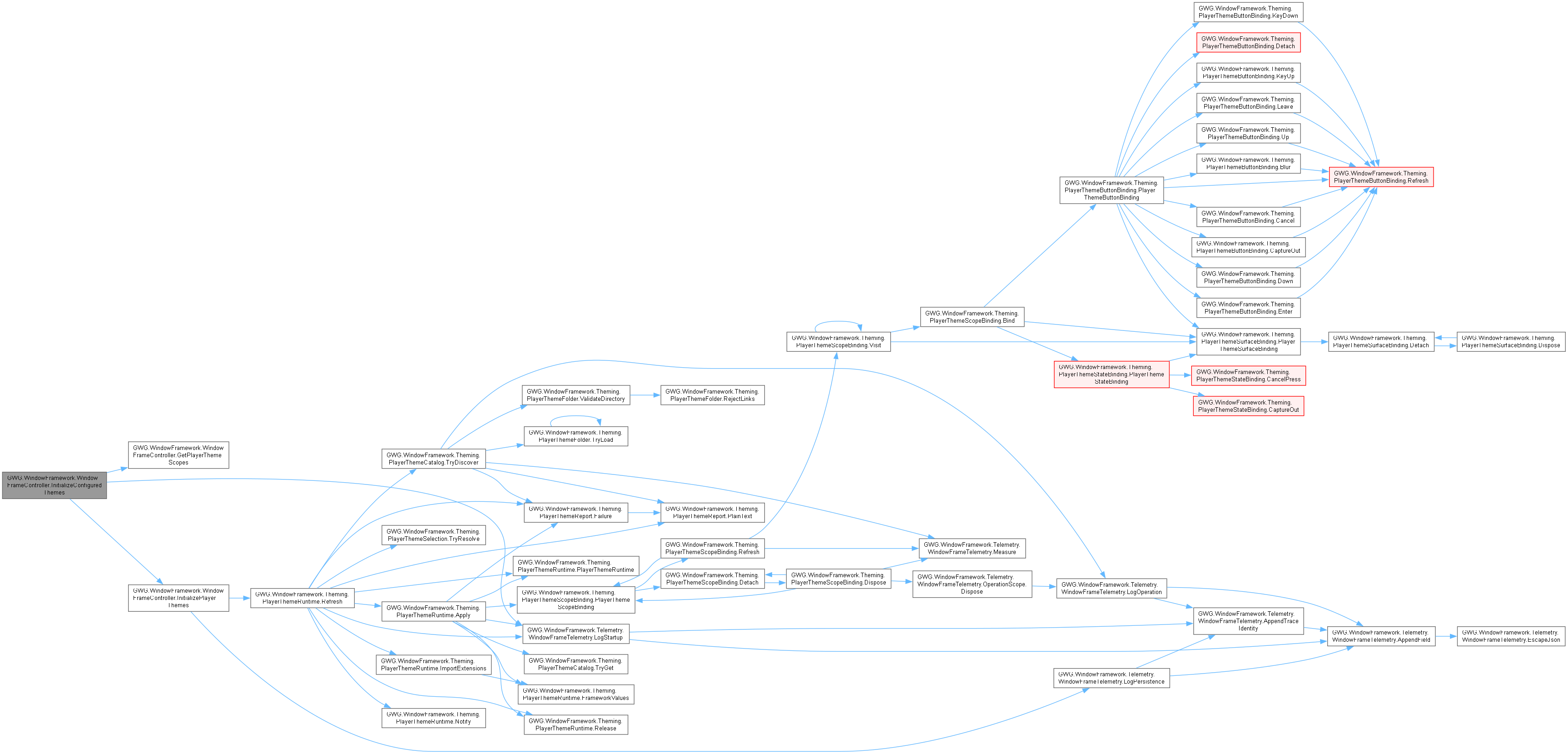
Initializes the configured theme selection using the existing player-theme runtime.
Waits for configured Addressables hydration when that path is active. Otherwise requires theme data and the controller root and does not initialize a second existing session. PlayerThemesEnabled determines whether the configured persistent player folder is supplied; the same existing session handles built-in selection when player themes are disabled. InitializePlayerThemes receives GetPlayerThemeScopes and the configured extension registry, restores selection through the existing runtime and publishes that owner to theme data. Built-in sheet application routes through theme-data notifications and HandleThemeChanged; portable overrides use the existing runtime separately. No per-window default sizing or hidden-window saving is required by this configuration stage.

◆ InitializePlayerThemes()
|
inline |
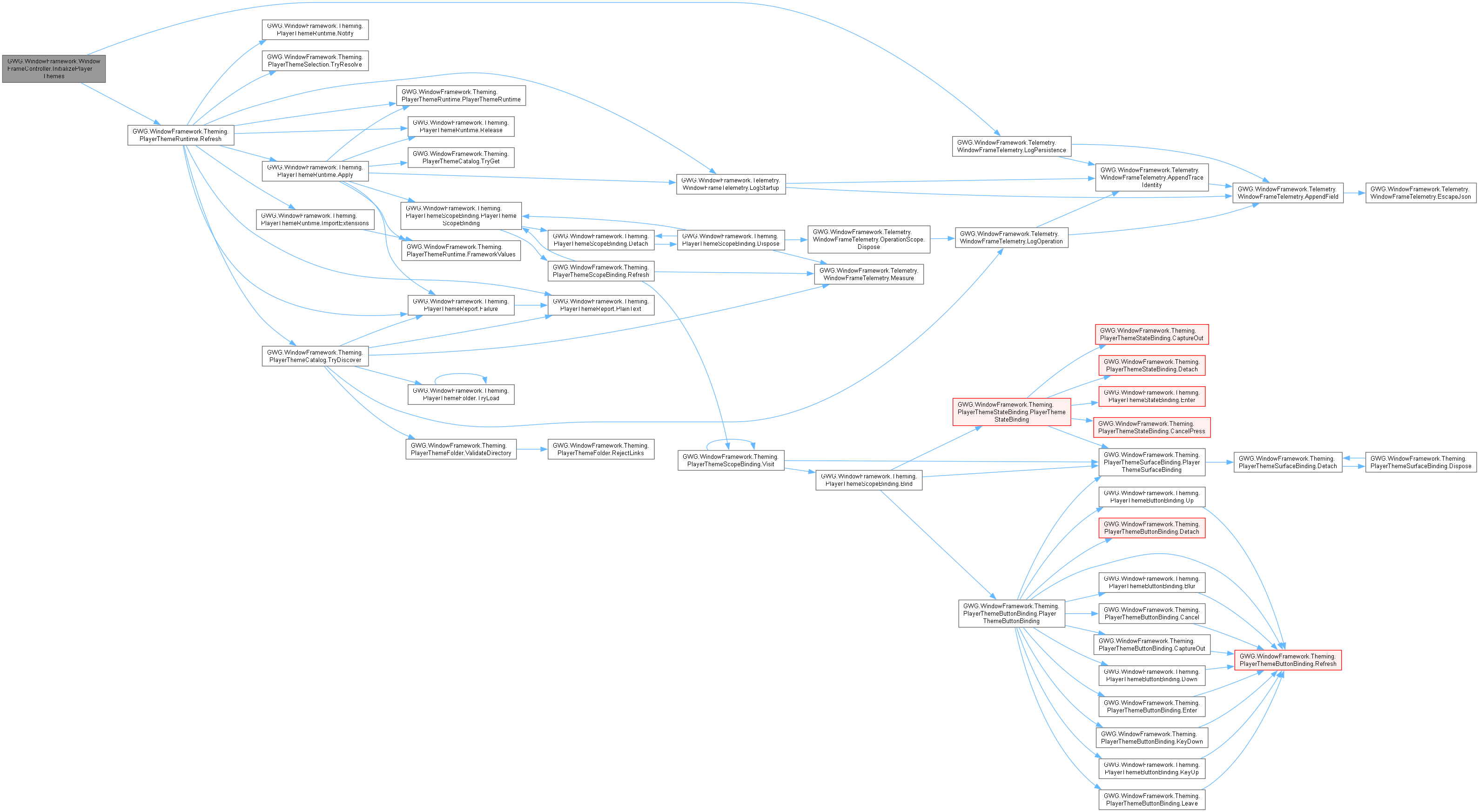
Initializes imported player themes using explicit application-owned UI scopes.
- Parameters
-
folder Configured existing or missing player-theme root. scopes Current independent scopes matching the application's theme apply policy. error Configuration/import/application failure. extensions Optional compiled purchaser handlers.
- Returns
- True when restored selection was applied and saved through framework persistence.
Call after controller Start and serialized built-in ID assignment. No setting is enabled automatically. Scope provider must exclude unrelated containers. Selector and overlay attachment integration must call RefreshControls after mounting new controls.

◆ LoadWindowFrameworkData()
|
inlineprivate |
Loads window framework configuration data from persistent storage.
This method attempts to load saved data from a JSON file in the persistent data path. The loaded data includes:
- Window positions, sizes, and states
- Tooltip configuration (show delay, fade delay, fade type, etc.)
- Context menu settings (fade delay, fade time)
- Memory/persistence preferences
- Active theme index
If the file doesn't exist or loading fails, default values are applied. The method gracefully handles corruption or missing data by falling back to defaults.


◆ OnDestroy()
|
inlineprivate |
Handles cleanup and data persistence when the component is destroyed.
This method performs comprehensive cleanup operations:
- Cleans up player themes if enabled in theme data
- Unsubscribes from all event handlers to prevent memory leaks
- Saves window framework data to persistent storage
- Clears the singleton instance reference
The cleanup ensures that user preferences and window states are preserved across application sessions while properly releasing all resources.

◆ OnDisable()
|
inlineprivate |
Unsubscribes from events when the component is disabled.
This method prevents memory leaks and unintended behavior by properly unsubscribing from all event handlers when the component becomes inactive.
Events unsubscribed include:
- Theme change events from theme data
- WindowFrame addition and removal events
This is essential for proper cleanup in Unity's component lifecycle.

◆ OnEnable()
|
inlineprivate |

◆ OpenSettingsWindow()
|
inline |
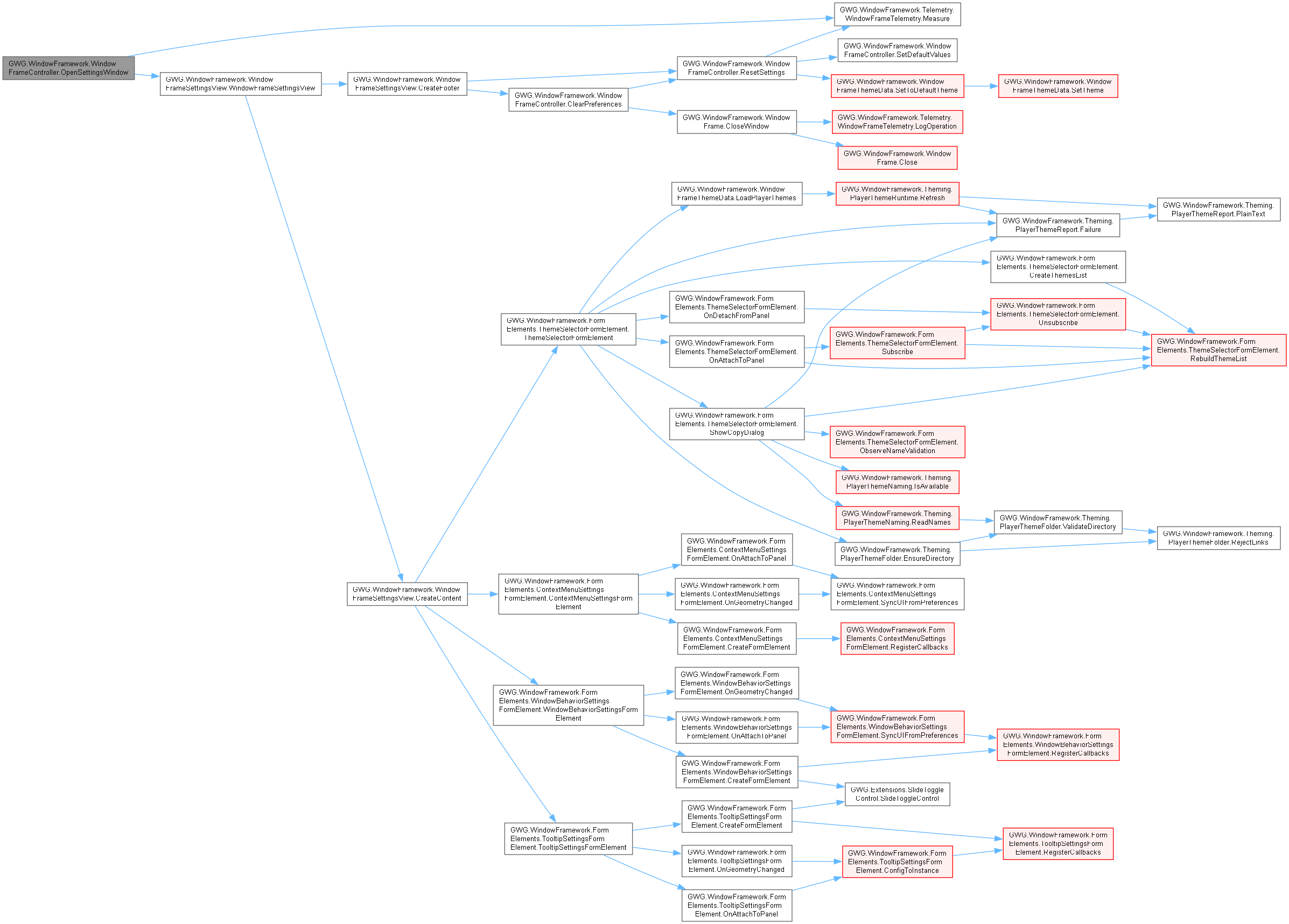
Opens the built-in settings window for configuring the window framework.
The settings window allows users to adjust:
- Theme selection and preferences
- Tooltip timing and behavior
- Context menu settings
- Memory/persistence options
- Other framework configuration options
The settings window is a WindowFrame instance and follows the same behavior patterns as other framework windows.

◆ RefreshSplitViewCursors()
|
inlineprivate |
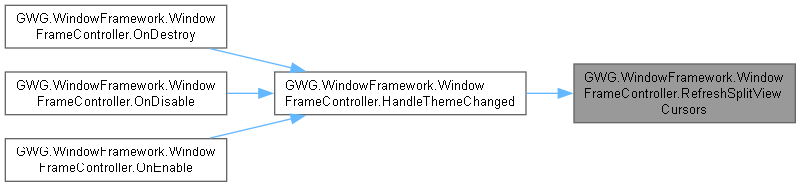
Reuses configured stylesheet scopes for cursor-only native split handling.
Called on theme/application attachment notifications, never during pointer movement. The bindings discover only entered divider anchors; no controls or window geometry are rebuilt.

◆ RemoveModalCard()
|
inline |
Application-authorized removal of a specific visible or queued card, with transition.
- Parameters
-
card Exact card instance owned by the current WindowModal.
- Returns
- True when its removal starts; false when not owned, already closing or no card modal exists.
Bypasses user AllowDismiss. True is not fade completion or successful business validation.
◆ ReopenWindows()
|
inline |
Restores previously opened windows from saved data after a specified delay.
- Parameters
-
delay Delay in seconds before beginning window restoration. Default: 0.1f
This method should be called at an appropriate point during application startup when you want saved windows to be restored. The delay allows the UI framework and other systems to fully initialize before creating window instances.
Only windows that were open when the application last closed will be restored, and only if MemoryEnabled is true. Window positions, sizes, and other properties are restored from the saved data.


◆ ReopenWindowsDelayed()
|
inlineprivate |
Internal coroutine that handles delayed window restoration.
- Parameters
-
delay Delay in seconds before calling ReopenWindowsInternal.
- Returns
- Coroutine that waits for the specified delay then restores windows.
This coroutine provides the delay mechanism for ReopenWindows(). It waits for the specified time period, then calls ReopenWindowsInternal() to perform the actual window restoration logic.
The delay is essential to ensure that:
- UI systems are fully initialized
- Theme data is loaded and applied
- All required components are ready


◆ ReopenWindowsInternal()
|
inline |
Performs the actual window restoration from saved data.
This method recreates window instances from saved WindowFrameSettingsData:
- Checks if memory is enabled (returns early if disabled)
- Iterates through all saved window data entries
- Filters for windows that were open when saved (wasOpen = true)
- Uses reflection to instantiate the correct window type from saved type string
- Restores window properties (ID, position, size, title, etc.)
- Adds restored windows to the UI hierarchy
Window types must be accessible via Type.GetType() for restoration to work. If a window type is not found, a warning is logged and that window is skipped.


◆ ResetSettings()
|
inline |
Resets all framework settings to their default values while preserving window memory data.
Selects the configured default when available, then writes the listed operational preference defaults. Developer-owned controller memory policy is never reset. The window-record dictionary is retained. This does not reset every application setting, remove player folders, save authored assets or explicitly flush PlayerPrefs at this call. Caller supplies confirmation/input policy; no runtime EditorUtility dependency is required.


◆ SaveWindowFrameworkData()
|
inlineprivate |
Saves current window framework configuration data to persistent storage.
This method serializes the current framework state to JSON format and saves it to the persistent data path. The saved data includes:
- Window records from WindowFrameSettingsData.
- schemaVersion, stable ActiveThemeId and the legacy ActiveThemeIndex view.
- Global snapping/docking/tab preferences, not controller memory policy.
The current writer does not populate tooltip/context-menu timing fields on its WindowFrameworkData object; those live preferences are handled through PlayerPrefs. Do not infer that every field declared by the DTO is written by this method. Writes directly to persistentDataPath/dataFileName and reports write exceptions. Called during controller destruction and successful theme-selection persistence.


◆ SetActiveWindow()
|
inline |
Sets the specified window as the active window and deactivates all others.
- Parameters
-
newTarget The window frame to set as active. If null, the foremost window is activated.
This method manages window focus and visual state:
- If newTarget is null, finds the foremost (top) window to activate
- Deactivates all currently active windows
- Activates the target window
- Brings the target window to the front of the UI hierarchy
Active windows typically receive different styling (via CSS) to indicate focus. Only one window should be active at a time to provide clear user feedback.


◆ SetActiveWindowDelayed()
|
inlineprivate |
Sets the active window after a specified delay.
- Parameters
-
newTarget The window to activate. delay Delay in milliseconds before activation. Default: 5ms
This method uses Unity's scheduling system to delay window activation, allowing the UI to complete any pending updates before changing focus.
The delay is typically very short (5ms) and is used to ensure proper timing in the UI update cycle, especially after window creation or modification operations.

◆ SetDefaultValues()
|
inlineprivate |
Sets all configurable values to their default constants.
This private method initializes or resets all framework settings to the default values defined by constants at the top of the class:
- TooltipShowDelayDefault
- TooltipFadeDelayDefault
- TooltipFadeTypeDefault
- TooltipFadeTimeDefault
- ContextMenuFadeDelayDefault
- ContextMenuFadeTimeDefault
- TooltipsEnabledDefault
Developer-owned MemoryEnabled is intentionally excluded. Called during initialization when no saved data exists, or when loading saved data fails, or when explicitly resetting settings.

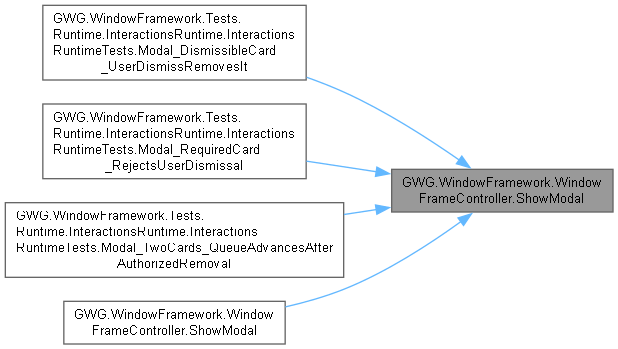
◆ ShowModal() [1/2]
|
inline |
Adds a non-window card to the visible modal queue. Its styles own px/% card sizing.
- Parameters
-
card Nonnull detached card; an active WindowModal receives it directly. initialFocus Optional descendant of this card to focus when eligible.
Requires an active controller with an attached root. Otherwise creates a WindowModal host through the existing presentation queue. No business submission, gameplay input binding or independent player-theme session is created.
◆ ShowModal() [2/2]
|
inline |
Presents a detached WindowFrame modally in the controller-linked UIDocument.
- Parameters
-
window Consumer-defined window, including its identity, content and close permissions. initialFocus Optional descendant; otherwise the first available control receives focus. dismissOnBackdrop Whether backdrop presses request normal CloseWindow; default false.
Reveals after valid window/root geometry using StartPosition and existing memory/explicit override authority. Additional presentations wait in a FIFO queue; only one is active. Dismissal respects AllowClose/Locked. Close or hide releases presentation and restores valid launching focus. Controller teardown removes presentations. Does not alter background enabled states, input actions, or document sorting. Developers must sort this document above their application UI. AllPanels is styling only, not multi-host windowing. Independent keyboard input on other documents and gameplay shortcuts remain application-owned.
- Exceptions
-
InvalidOperationException Controller/document is inactive or window is already parented. ArgumentNullException Window is null. ArgumentException Initial focus is outside the dialog.
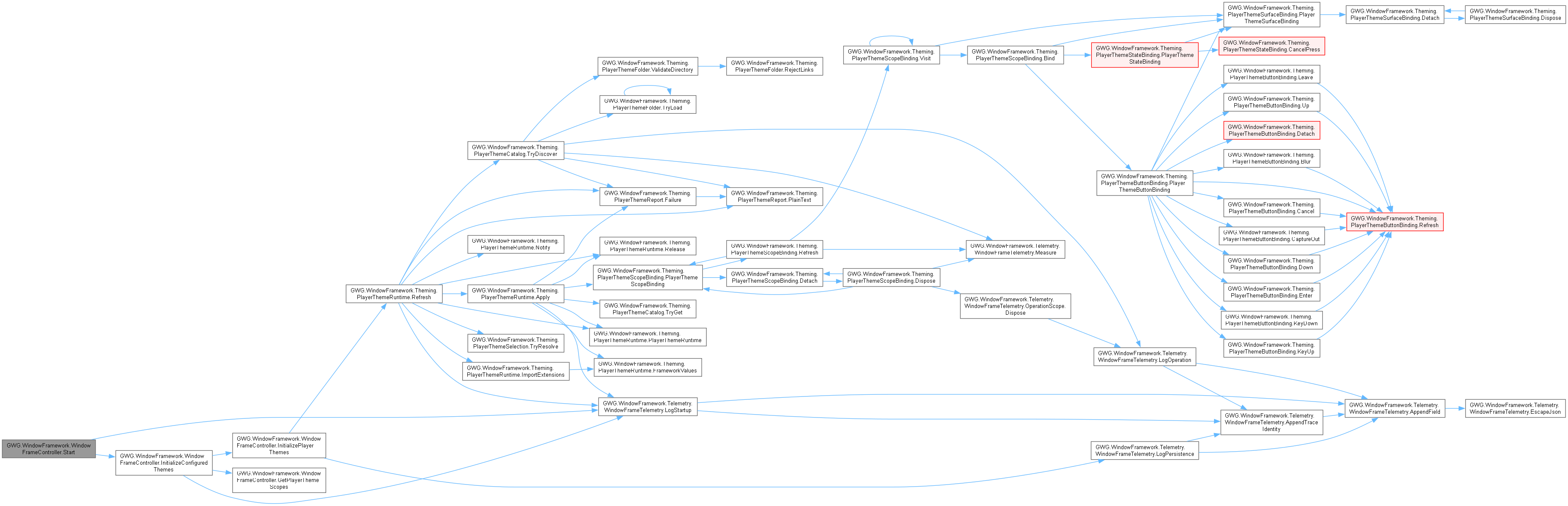
◆ Start()
|
inlineprivate |
Starts the existing configured theme session after controller setup.
Awake establishes the singleton, loads framework persistence and obtains the assigned UIDocument root. OnEnable subscribes to theme-data changes and applies an already available current sheet through HandleThemeChanged. Start then initializes the configured theme session; it does not create another window host or reset window geometry. Configured Addressables loading, when enabled, defers that session until its existing hydration path supplies theme data. Window opening remains attachment/first-layout/restoration/reveal work owned by WindowFrame rather than a synchronous operation of this lifecycle method.
◆ Update()
|
inlineprivate |

◆ WasWindowOpen() [1/3]
|
inline |
Checks whether a window was open when framework data was last saved using its exact canonical dataKey.
- Parameters
-
dataKey The unique window data key, formatted as [Type]|[ParentObjectId]|[WindowId].
- Returns
trueif saved data exists and WindowFrameData.wasOpen is true; otherwise,false.
Performs an O(1) dictionary query against WindowFrameSettingsData. Returns false if MemoryEnabled is false or if no entry matches the key.


◆ WasWindowOpen() [2/3]
|
inline |
Checks whether a window was open when framework data was last saved using its parent object ID and window ID. Provided for backwards compatibility with legacy call sites.
- Parameters
-
parentObjectId The parent object ID associated with the window. windowId The unique window ID.
- Returns
trueif saved data exists matching the IDs and WindowFrameData.wasOpen is true; otherwise,false.
Iterates through WindowFrameSettingsData to match by windowId and parentObjectId . Returns false if MemoryEnabled is false, windowId is null/empty, or no match is found.
◆ WasWindowOpen() [3/3]
|
inline |
Checks whether the specified WindowFrame was open when framework data was last saved.
- Parameters
-
window The WindowFrame instance to evaluate.
- Returns
trueif saved data exists for this window and WindowFrameData.wasOpen is true; otherwise,false.
Resolves the canonical key ([Type]|[ParentObjectId]|[WindowId]) first for an instant O(1) lookup, falling back to matching by WindowFrame.ParentObjectId and WindowFrame.WindowId for legacy schema compatibility. Returns false if window is null or memory is disabled.

Field Documentation
◆ _appliedStylesheets
|
private |
Internal list tracking currently applied stylesheets for theme management.
Used internally to track which stylesheets are currently applied to panels so they can be properly removed when themes change.
◆ _clickAction
|
private |
Input action for handling click events within the window framework.
This action is used internally to manage UI interactions and window focus changes. It's automatically configured during the controller's initialization.
◆ _configuredThemeExtensions
|
private |
◆ _debugTelemetryEnabled
|
private |
◆ _ghostIcon
|
private |
[EXPERIMENTAL] The ghost icon element used for drag-and-drop operations.
A VisualElement representing a draggable ghost icon, or null if not active.
⚠️ EXPERIMENTAL FEATURE: This is not a supported feature and is provided only as an example of how to implement icon dragging between windows or toolbars.
The ghost icon provides visual feedback during drag operations, showing a semi-transparent representation of the item being dragged. This can be used with custom drag manipulators to create rich drag-and-drop interactions.
Use at your own risk - this API may change or be removed in future versions.
◆ _interactionTelemetry
|
private |
Subscribes to events and performs initialization when the component is enabled.
This method handles the following initialization tasks:
- Subscribes to the assigned theme-data asset's change event when available.
- Warns when theme data is absent and validates the explicit fallback stylesheet.
- Subscribes to window addition/removal and scene-unload notifications.
- Registers root pointer and control attach/detach callbacks.
- Applies the current stylesheet when one is already available.
This does not certify that asynchronous Addressables configuration or the player-theme session is ready. Startup configuration hydration completes through the controller's configured-theme initialization path. Consumers must not create a competing theme session. The assigned UIDocument/root is required before this lifecycle phase; the controller attempts to obtain a UIDocument on its own GameObject in Awake if none was assigned.
◆ _legacyThemeIndex
|
private |
◆ _modalHost
|
private |
◆ _playerThemeRuntime
|
private |
◆ _savedThemeId
|
private |
◆ _splitViewCursors
|
private |
◆ _started
|
private |
◆ _startupPreviousUpdate
|
private |
Updates the controller state each frame during Unity's Update phase.
This method performs the following maintenance tasks:
- Ensures tooltips remain in front of windows when visible
- Reinitializes the root element if it becomes null (helps with some scene changes)
- Validates UIDocument component reference
The method only operates during play mode to avoid edit-mode errors. It handles edge cases where UI components might be destroyed or reassigned.
◆ _startupUpdateSamples
|
private |
◆ _themeControlsRefreshPending
|
private |
◆ _windowFrameTooltip
|
staticprivate |
◆ dataFileName
|
private |
The filename for storing window framework data in the persistent data folder.
The name of the JSON file where window and framework settings are stored. Default: "WindowFrameData.json"
This file is created in Application.persistentDataPath and contains:
- Window positions and sizes
- Theme preferences
- Tooltip and context menu settings
- Other framework configuration data
Change this value if you need to use a different filename or want to separate data for different game modes or users.
◆ defaultStyleSheet
|
private |
◆ globalsLoadOrder
|
private |
◆ globalStyleSheet
|
private |
◆ memoryEnabled
|
private |
◆ RootElement
| VisualElement GWG.WindowFramework.WindowFrameController.RootElement |
The root VisualElement that serves as the primary container for all UI elements.
This element is automatically assigned from the attached UIDocument component during initialization. It acts as the parent container for all window frames, tooltips, and other UI components managed by the framework.
◆ themeData
| WindowFrameThemeData GWG.WindowFramework.WindowFrameController.themeData |
The theme data configuration for the window framework.
This ScriptableObject contains all theme definitions, stylesheets, and theme switching logic. When assigned, it enables dynamic theme switching and provides the current theme's stylesheets. If not assigned, the framework falls back to using the default stylesheet.
◆ uiDocument
|
private |
The UIDocument providing the single supported managed windowing layer.
Provides RootElement for managed windows, modal dialogs and framework overlays. If unassigned, the controller retrieves its attached UIDocument. Developers must configure document/panel sorting above their other UI layers. AllPanels controls theme application only; it does not expand window ownership or global input authority.
◆ uiDocuments
|
private |
Retained additional-document references; these do not establish managed window hosts.
Serialized for compatibility. AllPanels theme application discovers active UIDocuments independently. All managed windows/modal dialogs belong to the primary linked UIDocument's RootElement. Adding a reference here does not register another windowing layer, input scope, or controller. Independent cross-document window hosting is unsupported. Configure the primary document/panel sorting above the application UI it should overlay.
◆ WindowFrameSettingsData
| Dictionary<string, WindowFrameData> GWG.WindowFramework.WindowFrameController.WindowFrameSettingsData = new Dictionary<string, WindowFrameData>() |
Dictionary storing configuration data for each window frame.
A dictionary where keys are window identifiers and values are WindowFrameData objects containing window settings, position, size, and state information.
This data is used for persistence across application sessions when memory is enabled. The KeyValue format is typically: [WindowType]_[ParentObjectId]_[WindowId]
The dictionary is automatically populated from saved data during initialization and updated during runtime as windows are modified.
Property Documentation
◆ ActiveModalCard
|
get |
Gets the currently active non-window card, or null.
◆ ActiveModalWindow
|
get |
Gets the top modal in this controller's windowing document, or null.
◆ ActiveThemeIndex
|
get |
Gets the index of the currently active theme.
The zero-based index of the active theme from the theme data. Returns 0 if no theme data is assigned.
◆ ActiveWindowFrames
|
get |
Gets a list of all currently active window frames in the framework.
A list of WindowFrame instances currently present in the UI hierarchy. The list is dynamically generated from the current UI state.
This property queries the UI hierarchy in real-time, so the returned list reflects the current state of active windows. The list may change between calls as windows are opened and closed.
◆ ContextMenuFadeDelay
|
getset |
Gets/sets context-menu pre-fade delay in seconds; assignments clamp to zero through five.
Preference/default authority only; no stylesheet or positioning changes.
◆ ContextMenuFadeTime
|
getset |
Gets/sets context-menu fade duration in seconds; assignments clamp to zero through three.
Does not flush PlayerPrefs, save source theme data or notify menu dismissal.
◆ CurrentStylesheet
|
get |
Gets the primary stylesheet for the current theme.
The main StyleSheet object for the currently active theme. Returns the default stylesheet if no theme data is configured.
This property provides quick access to the main theme stylesheet without including global or additional stylesheets. Use CurrentThemeStylesheets if you need the complete list including global styles.
◆ CurrentThemeStylesheets
|
get |
Gets the current list of stylesheets based on active theme settings.
A list of StyleSheet objects representing the current theme's styling. Includes the base theme stylesheet and global stylesheet based on load Order settings.
If no theme data is available, returns a list containing only the default stylesheet. The Order of stylesheets in the list affects CSS cascade and style precedence.
◆ DebugTelemetryEnabled
|
getset |
Gets or sets whether high-density machine-readable debug telemetry logging is active.
When true (and when the WFW_TELEMETRY_ENABLED directive is compiled), emits structured JSON logs for pointer events, window boundary crossings, resize calculations, tooltips, and context menus.
◆ DefaultStylesheet
|
getset |
Gets or sets the default stylesheet used when themes are not enabled or set.
The StyleSheet object to use as fallback styling. This stylesheet is applied when no theme data is available.
This serves as the fallback styling for the framework when theme support is disabled or no specific theme is selected. It ensures that UI elements always have basic styling available.
◆ GhostIcon
|
getset |
Gets or assigns the experimental drag-visual reference; getter lazily creates/mounts it.
Getter requires an initialized RootElement and may add a hidden 50-by-50 element. Setter replaces the reference only; it does not detach the previous visual or mount the new one. This is not a supported inventory transfer, input capture or drop authorization API.
◆ GlobalsLoadOrder
|
getset |
Gets or sets the loading Order for global stylesheet relative to theme stylesheets.
A GlobalsLoadOrder value determining whether global styles are applied before (First) or after (Last) theme-specific stylesheets.
This setting affects CSS cascade and style precedence:
- First: Theme styles can override global styles
- Last: Global styles can override theme styles
Choose based on whether you want themes to be able to override your global styling or vice versa.
◆ GlobalStylesheet
|
getset |
Gets or sets the global stylesheet applied across all themes.
A StyleSheet that is always applied regardless of the current theme. Can be null if no global styling is needed.
The global stylesheet provides consistent styling elements that should appear the same across all themes. Its load Order relative to theme stylesheets is controlled by the GlobalsLoadOrder property.
This is useful for defining common UI patterns, animations, or framework-specific styles that shouldn't change with themes.
◆ Instance
|
staticgetprivate set |
Gets the singleton instance of the WindowFrameController.
The active WindowFrameController instance in the scene. Returns null if no instance exists.
This instance is automatically created when the first WindowFrameController component is initialized and persists across scene changes.
◆ MemoryEnabled
|
getset |
Gets or sets the developer-owned controller policy for using window-state memory.
True permits eligible windows to use memory; false disables its use.
The serialized controller field is the sole authored authority. Only the developer's controller setup or trusted code using this API may change it. Theme defaults, player theme data, saved framework JSON, fresh-start fallback and preference resets must never overwrite it. Per-window flags/identity still apply. Other user preferences and retained geometry records are independent; disabling memory is not a request to delete existing saved files.
◆ PlayerThemeRuntime
|
get |
Gets the opt-in player-theme owner after successful initialization.
◆ SavedThemeId
|
get |
Gets the saved stable theme identity awaiting catalog resolution.
Loaded from the existing framework persistence file. Player identities must remain intact until discovery completes; an interim built-in index is not a new choice.
◆ TooltipFadeDelay
|
getset |
Gets/sets tooltip pre-fade delay in seconds using the configured fallback.
Setter stores directly, without range validation or immediate PlayerPrefs.Save.
◆ TooltipFadeTime
|
getset |
Gets/sets tooltip fade duration in seconds, not the modal motion millisecond token.
Setter stores directly; it does not validate, save a theme asset or flush preferences.
◆ TooltipFadeType
|
getset |
Gets/sets the tooltip fade-mode preference; appearance behavior is handled by the tooltip.
No enum-range validation is performed here; use declared TooltipFadeType values.
◆ TooltipsActive
|
getset |
Gets or sets whether tooltips are active and functional.
True if tooltips should be displayed and functional; false to disable tooltip system.
When set to false, existing tooltip manipulators remain but tooltips won't be shown. When set to true, automatically searches for and initializes the tooltip system.
The tooltip system is automatically initialized during framework startup but can be toggled on/off during runtime as needed.
◆ TooltipShowDelay
|
getset |
Gets or sets the delay before showing tooltips when hovering over elements.
The delay in seconds before a tooltip appears after mouse hover begins. Range: 0 to 5 seconds.
This delay prevents tooltips from appearing immediately on hover, reducing visual noise and only showing tooltips for deliberate hover actions. Shorter delays make tooltips more responsive but potentially more intrusive.
◆ UIRoot
|
staticget |
Gets the root VisualElement for the window framework's UI hierarchy.
The root container VisualElement for all UI components. Returns null if no instance exists.
This provides static access to the UI root without needing to reference the instance directly. All window frames and UI elements are added as children of this root element.
◆ WindowFrameTooltip
|
staticgetset |
Gets or sets the static tooltip system instance.
The WindowFrameTooltip instance managing tooltip display and behavior. Returns null if tooltips are disabled or not initialized.
This provides static access to the tooltip system for displaying contextual help information. The tooltip instance is automatically created and managed by the WindowFrameController.
Event Documentation
◆ OnThemeChanged
|
static |
Event triggered when the application theme changes.
The first parameter contains the new stylesheets to apply. The second parameter contains the previously applied stylesheets.
This event is useful for UI elements that need to respond to theme changes by updating their appearance or refreshing their styling.
