Represents a theme data asset for configuring and managing window frame themes in the Window Framework system. This class is a ScriptableObject that provides functionality for managing themes, tracking the active theme, and applying changes to the window frame styles.
More...
|
| void | CleanPlayerThemes () |
| | Removes entries marked PlayerTheme from the serialized Themes list only.
|
| List< StyleSheet > | ComposeStyleSheets (StyleSheet settings) |
| | Builds the configured shared-application order followed by one theme settings sheet.
|
| void | ConfigureRequiredFrameworkStylesheets (StyleSheet nativeControls, StyleSheet frameworkComponents, StyleSheet slideToggle) |
| | Records the explicit essential roles after a repository creator has installed its mapped copies.
|
| delegate void | DefaultThemeChangedEventHandler (int newThemeIndex) |
| | Event that is raised when the default theme designation changes.
|
| void | EnsureDefaultStyleSheets () |
| | Retained legacy stylesheet-copy placeholder for purchaser source compatibility.
|
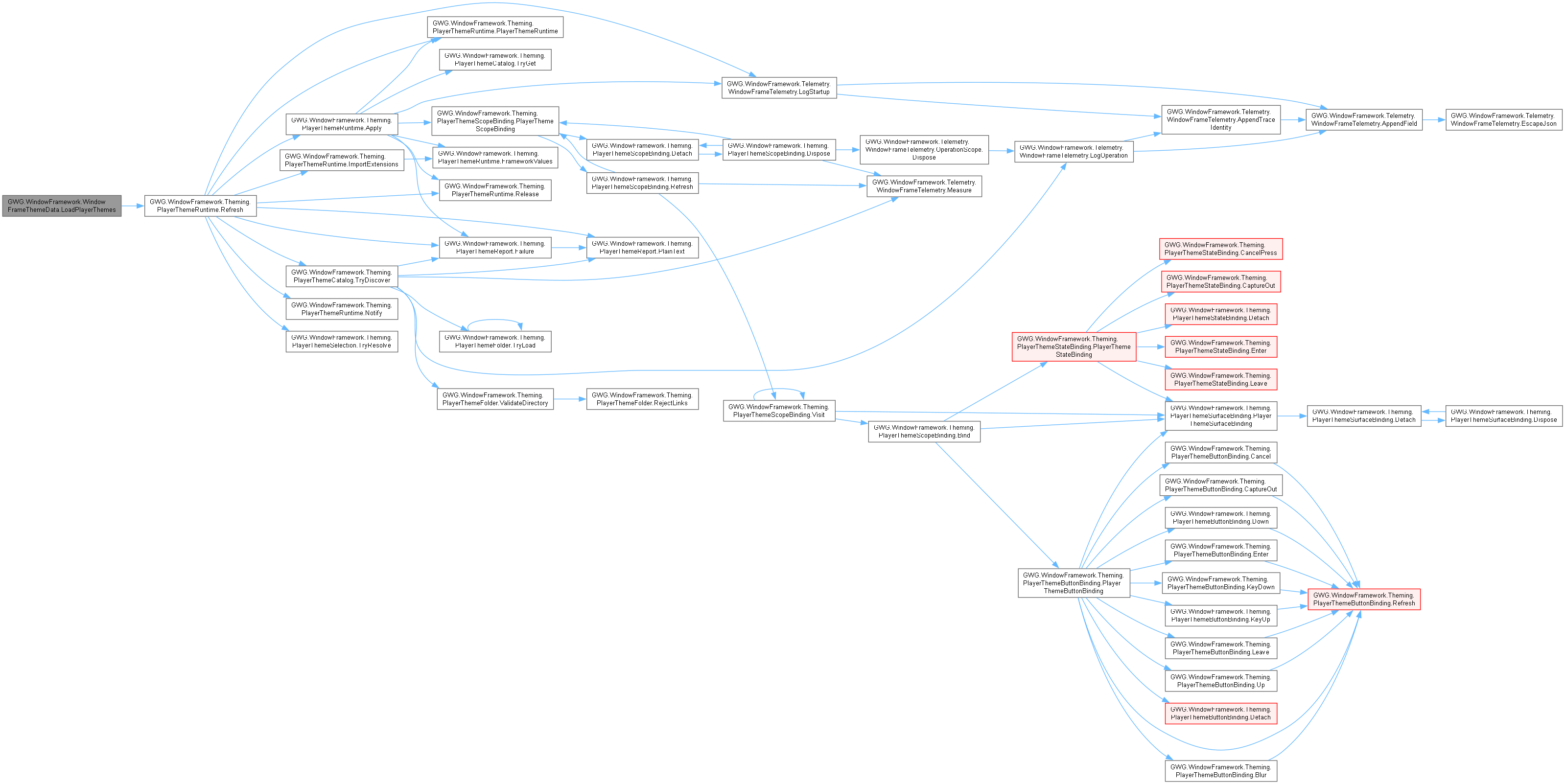
| void | LoadPlayerThemes () |
| | Refreshes portable JSON/image discovery through this configuration's initialized controller session.
|
| void | RefreshApplicationStyleSheets () |
| | Republishes the current composition after an in-place application-list edit.
|
| void | SetAsDefaultTheme (int themeIndex) |
| | Designates a specific theme as the default theme by clearing the default flag from all themes and setting it only on the specified theme index. Triggers the default theme changed event to notify subscribers.
|
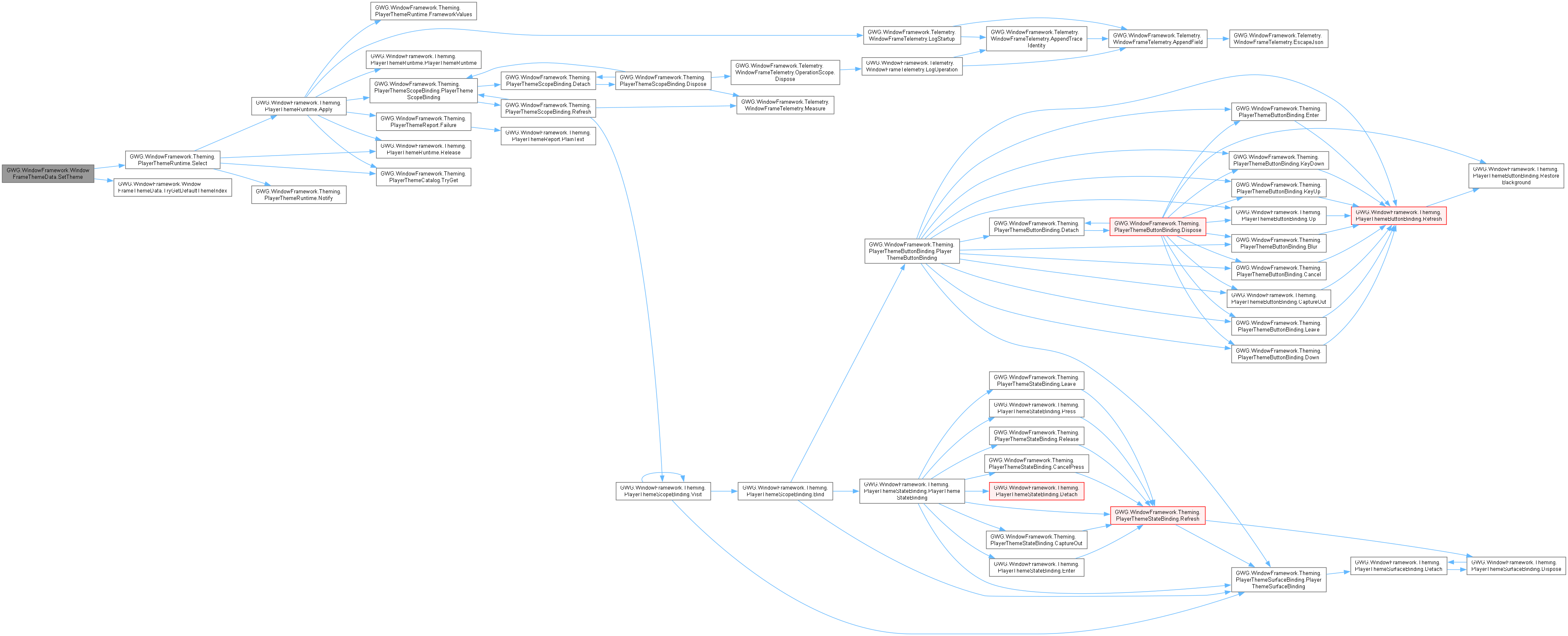
| void | SetTheme (int newActiveThemeIndex) |
| | Updates the active theme by setting the specified theme index. If the provided index is invalid or out of range, a default theme index is applied instead. Upon successful update of the active theme, triggers the OnThemeChanged event to notify listeners about the theme change.
|
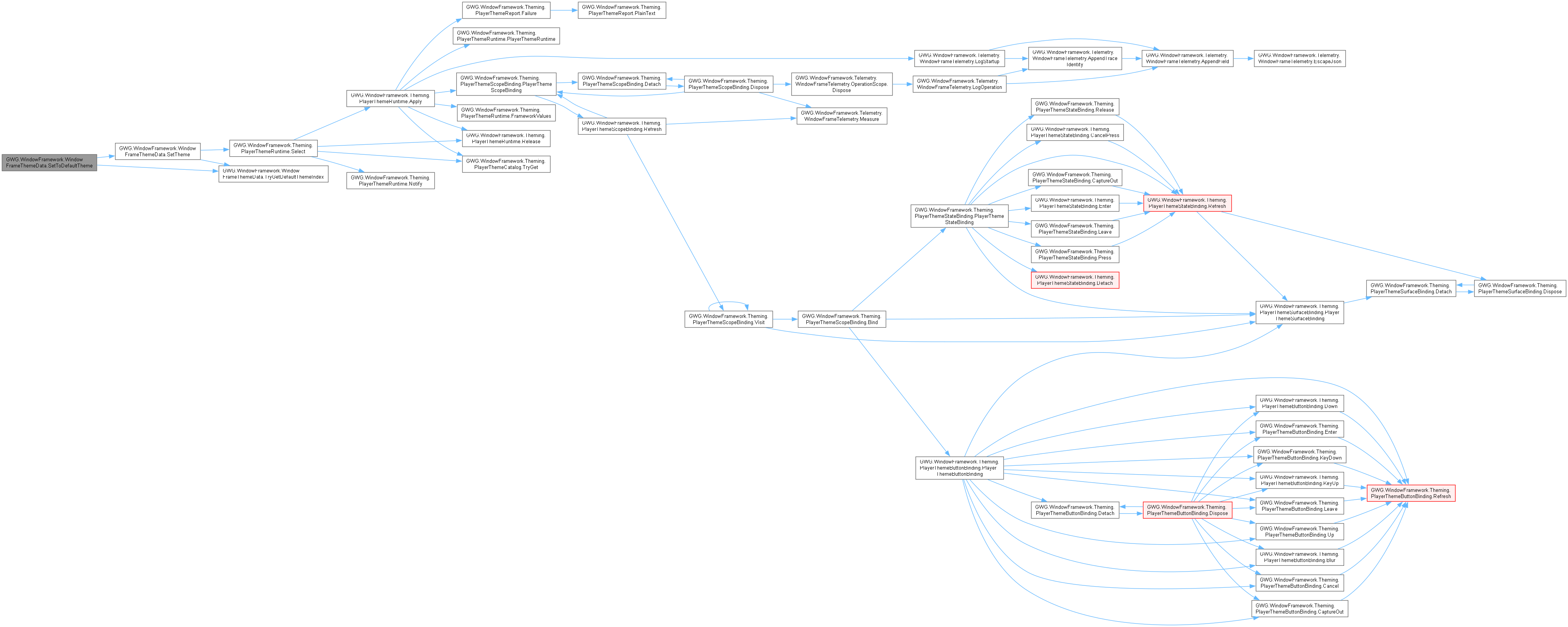
| void | SetToDefaultTheme () |
| | Selects the single valid configured default through the existing theme selection path.
|
| delegate void | ThemeChangedEventHandler (int newThemeIndex, StyleSheet newStylesheet) |
| | Event that is raised when the active theme changes.
|
| bool | TryGetDefaultThemeIndex (out int index, out string error) |
| | Resolves exactly one valid configured default without modifying the theme list.
|
| bool | TryGetRequiredFrameworkStylesheets (out StyleSheet nativeControls, out StyleSheet frameworkComponents, out StyleSheet slideToggle) |
| | Returns recorded essential-role references without loading shipped assets or modifying composition.
|
|
| const string | ContextMenuFadeDelayKey = "WFW_CONTEXTMENU_FADEDELAY" |
| | PlayerPrefs key for context-menu delay before fade, in seconds.
|
| const string | ContextMenuFadeTimeKey = "WFW_CONTEXTMENU_FADETIME" |
| | PlayerPrefs key for context-menu fade duration in seconds.
|
| const float | DoubleClickMaxDelay = 0.35f |
| | Maximum interval in seconds for the configured double-click gesture.
|
| const float | DoubleClickMaxDistance = 6f |
| | Maximum pointer distance for the configured double-click gesture.
|
| const string | TooltipFadeDelayKey = "WFW_TOOLTIP_FADEDELAY" |
| | PlayerPrefs key for tooltip delay before fade, in seconds.
|
| const string | TooltipFadeTimeKey = "WFW_TOOLTIP_FADETIME" |
| | PlayerPrefs key for tooltip fade duration in seconds.
|
| const string | TooltipFadeTypeKey = "WFW_TOOLTIP_FADETYPE" |
| | PlayerPrefs integer key storing TooltipFadeType.
|
| const string | TooltipsEnabledKey = "WFW_TOOLTIPS_ENABLED" |
| | PlayerPrefs string-boolean key for framework tooltip enablement.
|
| const string | TooltipShowDelayKey = "WFW_TOOLTIP_SHOWDELAY" |
| | PlayerPrefs key storing tooltip appearance delay; consumer accessors document units.
|
| const string | WindowDockingEnabledKey = "WFW_WINDOW_DOCKING_ENABLED" |
| | Integer-boolean preference key enabling pointer-driven screen docking.
|
| const string | WindowSnapDistanceKey = "WFW_WINDOW_SNAP_DISTANCE" |
| | Float preference key for magnetic distance in window-layout units.
|
| const float | WindowSnapDistanceMax = 10f |
| | Maximum configured snap-distance value used by settings validation.
|
| const float | WindowSnapDistanceMin = 1f |
| | Minimum configured snap-distance value used by settings validation.
|
| const string | WindowSnappingEnabledKey = "WFW_WINDOW_SNAPPING_ENABLED" |
| | Integer-boolean preference key for magnetic attraction.
|
| const string | WindowSnapToScreenKey = "WFW_WINDOW_SNAP_TO_SCREEN" |
| | Integer-boolean preference key enabling viewport-edge snapping.
|
| const string | WindowSnapToWindowsKey = "WFW_WINDOW_SNAP_TO_WINDOWS" |
| | Integer-boolean preference key enabling neighboring-window attraction.
|
| const string | WindowTabDockingEnabledKey = "WFW_WINDOW_TAB_DOCKING_ENABLED" |
| | Integer-boolean preference key enabling pointer-driven tab docking.
|
|
| int | ActiveThemeIndex [get, set] |
| | Represents the index of the currently active theme within the list of available themes. This property is used to determine which theme's stylesheet is applied to the window frame. When set, it validates the provided index to ensure it falls within the valid range of the theme list. Changes to this property trigger notifications to reflect updates in the theme selection.
|
| List< StyleSheet > | ApplicationStyleSheets [get, set] |
| | Gets or sets the collection's ordered shared application stylesheets.
|
| StyleSheet | CurrentStylesheet [get] |
| | Gets the current active stylesheet based on the selected theme in the theme list. This property dynamically determines which theme's StyleSheet should be returned by evaluating the active theme index and ensuring it points to a valid theme. If the active theme index is invalid or out of range, it will attempt to find a default theme or set the first theme in the list as the default. Returns null if no themes are available.
|
| GWG.WindowFramework.Theming.PlayerThemeRuntime | PlayerThemes [get, private set] |
| | Gets the controller-owned live player catalog/selection session, never serialized into this asset.
|
| bool | PlayerThemesEnabled [get, set] |
| | Enables bounded JSON/image player themes; no player stylesheet content is executed.
|
| string | PlayerThemesFolderName [get, set] |
| | Gets or sets the single child folder under the application's persistent data path.
|
| ThemeApplyMethods | ThemeApplyMethod [get, set] |
| | Defines the method used to apply themes in the window framework. Determines the scope of the theme application, ranging from targeting only window frames to applying the theme to broader groups such as parent panels or all active panels in the scene.
|
| List< WindowFrameTheme > | Themes [get, set] |
| | Represents a collection of themes used to manage and apply different stylesheets for the window framework. This list enables dynamic switching between themes at runtime and provides a structured way to handle theme data in the inspector.
|
Represents a theme data asset for configuring and managing window frame themes in the Window Framework system. This class is a ScriptableObject that provides functionality for managing themes, tracking the active theme, and applying changes to the window frame styles.
The WindowFrameThemeData class serves as the central hub for theme management within the Window Framework. It handles theme loading, validation, switching, and application across different scopes of the user interface.
KeyValue Features:
-
Dynamic theme switching at runtime
-
Automatic default theme handling and validation
-
Event-driven theme change notifications
-
Configurable theme application methods
-
Built-in default theme fallback system
-
Future support for player-created themes
This class includes the ability to load and manage themes bundled with the application. It also provides methods to apply themes and invoke changes when the active theme is updated.
Integration:
This class implements INotifyPropertyChanged for editor integration and real-time property updates, making it suitable for both runtime and editor-time theme management scenarios.
{
name = "Dark Theme",
themeStyleSheet = darkThemeStyleSheet,
isDefault = false
};
themeData.Themes.Add(customTheme);
themeData.SetTheme(1);
themeData.OnThemeChanged += (index, stylesheet) =>
{
Debug.Log($"Theme changed to index {index}");
ApplyThemeToUI(stylesheet);
};
Represents a theme data asset for configuring and managing window frame themes in the Window Framewor...
Definition WindowFrameThemeData.cs:141
Represents an individual theme definition within the Window Framework. Encapsulates theme metadata,...
Definition WindowFrameTheme.cs:17
ThemeApplyMethods
Specifies the method used to apply themes within the window framework system. Determines the level or...
Definition WindowFrameThemeData.cs:67
| List< StyleSheet > GWG.WindowFramework.WindowFrameThemeData.ComposeStyleSheets |
( |
StyleSheet | settings | ) |
|
|
inline |
Builds the configured shared-application order followed by one theme settings sheet.
- Parameters
-
| settings | Selected theme settings sheet; null leaves only application sheets. |
- Returns
- A new list of borrowed references, with no duplicate entries.
For a theme using collection application sheets, preserves the authored shared list order, skips nulls/duplicates/the settings reference, and appends the selected settings once. A matching legacy self-contained theme that opts out of collection sheets returns only its settings sheet. This method does not discover or load another theme, mutate configuration, install sheets on UI, write dimensions or apply portable player overrides. The controller's BuildSheetList adds its optional distinct global sheet at the configured first/last position; HandleThemeChanged installs that result at the configured panel/window scope. Theme selection or RefreshApplicationStyleSheets publishes the existing OnThemeChanged notification; layout calculation and the ordinary window's saved-state/reveal sequence remain separate.
| void GWG.WindowFramework.WindowFrameThemeData.SetTheme |
( |
int | newActiveThemeIndex | ) |
|
|
inline |
Updates the active theme by setting the specified theme index. If the provided index is invalid or out of range, a default theme index is applied instead. Upon successful update of the active theme, triggers the OnThemeChanged event to notify listeners about the theme change.
- Parameters
-
| newActiveThemeIndex | The index of the theme to be set as active. |
This method is the primary way to switch themes in the window framework. It performs validation on the provided index and updates the active theme accordingly. If the index is invalid, it falls back to the first theme (index 0).
Event Notification:
Upon successful theme change, the method triggers the OnThemeChanged event with the new theme index and associated StyleSheet, allowing subscribers to update their UI elements accordingly.
themeData.SetTheme(2);
int desiredTheme = 4;
if (desiredTheme < themeData.Themes.Count)
{
themeData.SetTheme(desiredTheme);
Debug.Log($"Switched to theme: {themeData.Themes[desiredTheme].name}");
}
int nextTheme = (themeData.ActiveThemeIndex + 1) % themeData.Themes.Count;
themeData.SetTheme(nextTheme);
string targetTheme = "Dark Mode";
int themeIndex = themeData.Themes.FindIndex(t => t.name == targetTheme);
if (themeIndex >= 0)
{
themeData.SetTheme(themeIndex);
Debug.Log($"Switched to theme: {targetTheme}");
}
private void OnThemeDropdownChanged(int selectedIndex)
{
themeData.SetTheme(selectedIndex);
PlayerPrefs.SetInt("UserSelectedTheme", selectedIndex);
PlayerPrefs.Save();
}
| int GWG.WindowFramework.WindowFrameThemeData.ActiveThemeIndex |
|
getset |
Represents the index of the currently active theme within the list of available themes. This property is used to determine which theme's stylesheet is applied to the window frame. When set, it validates the provided index to ensure it falls within the valid range of the theme list. Changes to this property trigger notifications to reflect updates in the theme selection.
An integer representing the zero-based index of the active theme. Must be within the valid range of the Themes collection.
This property controls which theme from the Themes collection is currently active and applied to the window framework. The index is automatically validated to ensure it remains within the bounds of the available themes.
themeData.ActiveThemeIndex = 2;
int currentIndex = themeData.ActiveThemeIndex;
Debug.Log($"Current theme index: {currentIndex}");
int desiredIndex = 5;
if (desiredIndex >= 0 && desiredIndex < themeData.Themes.Count)
{
themeData.ActiveThemeIndex = desiredIndex;
}
int nextIndex = (themeData.ActiveThemeIndex + 1) % themeData.Themes.Count;
themeData.ActiveThemeIndex = nextIndex;
| StyleSheet GWG.WindowFramework.WindowFrameThemeData.CurrentStylesheet |
|
get |
Gets the current active stylesheet based on the selected theme in the theme list. This property dynamically determines which theme's StyleSheet should be returned by evaluating the active theme index and ensuring it points to a valid theme. If the active theme index is invalid or out of range, it will attempt to find a default theme or set the first theme in the list as the default. Returns null if no themes are available.
The StyleSheet of the currently active theme, or null if no themes are available.
This property performs automatic validation and fallback logic to handle invalid configurations. The validation steps include:
-
Checks if any themes are available in the collection
-
Validates that the active theme index is within valid bounds
-
Attempts to find and use a designated default theme if index is invalid
-
Sets the first theme as default if no default theme exists
-
Returns null if no themes are available
StyleSheet activeSheet = themeData.CurrentStylesheet;
if (activeSheet != null)
{
visualElement.styleSheets.Add(activeSheet);
Debug.Log($"Applied theme: {themeData.Themes[themeData.ActiveThemeIndex].name}");
}
else
{
Debug.LogWarning("No active theme available");
}
themeData.SetTheme(2);
StyleSheet newSheet = themeData.CurrentStylesheet;
Defines the method used to apply themes in the window framework. Determines the scope of the theme application, ranging from targeting only window frames to applying the theme to broader groups such as parent panels or all active panels in the scene.
A ThemeApplyMethods enumeration value that determines the scope of theme application within the UI hierarchy.
This property controls how broadly themes are applied throughout the user interface. The selection affects both performance and visual consistency of theme changes.
Performance Impact:
Broader application methods require more processing time during theme switches. Choose the most restrictive method that meets your visual requirements.
if (QualitySettings.GetQualityLevel() >= 3)
{
}
else
{
}
Represents a collection of themes used to manage and apply different stylesheets for the window framework. This list enables dynamic switching between themes at runtime and provides a structured way to handle theme data in the inspector.
A List<T> of WindowFrameTheme objects representing all available themes that can be applied to the window framework.
This collection serves as the central repository for all theme configurations within the window framework. It supports dynamic modification at runtime and provides the foundation for theme switching functionality.
Collection Integrity:
The framework ensures that at least one theme is always available and that exactly one theme is designated as the default theme. Invalid configurations are automatically corrected during initialization.
{
name = "Custom Dark Theme",
themeStyleSheet = customStyleSheet,
isDefault = false
};
themeData.Themes.Add(newTheme);
var darkTheme = themeData.Themes.Find(t => t.name.Contains("Dark"));
if (darkTheme != null)
{
Debug.Log($"Found dark theme: {darkTheme.name}");
}
for (int i = 0; i < themeData.Themes.Count; i++)
{
var theme = themeData.Themes[i];
Debug.Log($"Theme {i}: {theme.name} (Default: {theme.isDefault})");
}