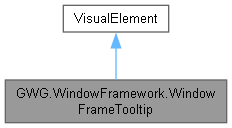
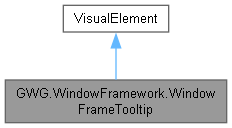
Represents a tooltip element that displays contextual information for UI elements. The tooltip can be styled dynamically based on the current theme and supports fade-in and fade-out animations. More...
Public Member Functions | |
| WindowFrameTooltip () | |
| Initializes a new instance of the WindowFrameTooltip class. Sets up the tooltip's default styles and registers theme update callbacks. | |
| void | Close () |
| Closes the tooltip and applies fade-out animation if enabled. | |
| void | CloseNow () |
| Immediately closes the tooltip by pausing its associated task, resetting it, and updating the tooltip's visibility and opacity styles to make it hidden. | |
| void | Show (VisualElement target) |
| Displays the tooltip near the specified target element. Positions the tooltip based on hints in the target's tooltip text. | |
Private Member Functions | |
| ~WindowFrameTooltip () | |
| void | FadeInTooltip () |
| void | FadeOutTooltip () |
| void | UpdateTheme (List< StyleSheet > sheets, List< StyleSheet > oldTheme) |
| Updates the tooltip's styles based on the provided theme stylesheet. Clears existing stylesheets and applies the new theme. | |
Private Attributes | |
| Label | _label |
| IVisualElementScheduledItem | _task |
| TooltipFadeType | _tooltipFadeType |
Detailed Description
Represents a tooltip element that displays contextual information for UI elements. The tooltip can be styled dynamically based on the current theme and supports fade-in and fade-out animations.
Constructor & Destructor Documentation
◆ WindowFrameTooltip()
|
inline |
Initializes a new instance of the WindowFrameTooltip class. Sets up the tooltip's default styles and registers theme update callbacks.

◆ ~WindowFrameTooltip()
|
inlineprivate |

Member Function Documentation
◆ Close()
|
inline |
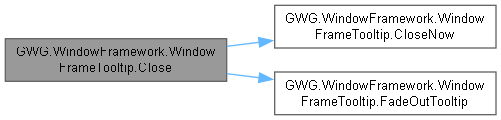
Closes the tooltip and applies fade-out animation if enabled.
◆ CloseNow()
|
inline |
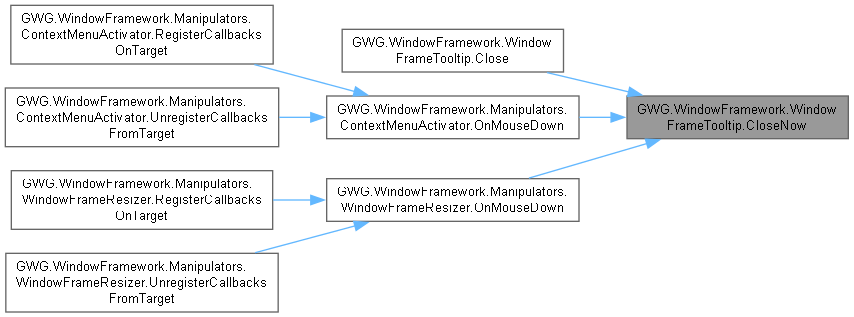
Immediately closes the tooltip by pausing its associated task, resetting it, and updating the tooltip's visibility and opacity styles to make it hidden.
◆ FadeInTooltip()
|
inlineprivate |

◆ FadeOutTooltip()
|
inlineprivate |

◆ Show()
|
inline |
Displays the tooltip near the specified target element. Positions the tooltip based on hints in the target's tooltip text.
- Parameters
-
target The UI element to display the tooltip for.

◆ UpdateTheme()
|
inlineprivate |
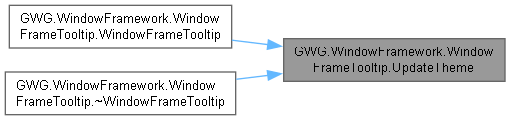
Updates the tooltip's styles based on the provided theme stylesheet. Clears existing stylesheets and applies the new theme.
- Parameters
-
newTheme The new theme stylesheet to apply.
Member Data Documentation
◆ _label
|
private |
◆ _task
|
private |
◆ _tooltipFadeType
|
private |