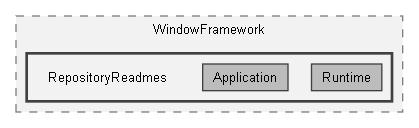
Directories | |
| Application | |
| Runtime | |
Detailed Description
WindowFramework theme repository
Required precautions
- Keep this repository inside a Unity Resources folder while its stylesheets use resource(...) references. If relocating it, use a workflow that also updates those paths; moving folders alone does not update string-based Resources keys.
- Treat Runtime and its Runtime/Application subfolder as infrastructure. Read their README files before changing shared styling or runtime setup. Do not delete, rename or move infrastructure files casually.
- Keep the controller prefab's ThemeData, UIDocument root and PanelSettings references assigned. Required framework stylesheet roles are configured on ThemeData; do not replace them with a theme settings sheet.
- Back up or version-control the repository before edits. Repository copying does not convert themes, repair invalid source content or certify visual appearance.
Purpose and use
This is a project-owned WindowFramework configuration and theme collection. A new repository published from the package defaults includes the supplied 2.0 themes, not the historical package 1.0 archive.
Open the repository's ThemeData in WindowFramework Theme Manager / Studio to select and author themes. For a newly published repository, place its supplied controller prefab in your intended scene and inspect the existing UIDocument/root/panel connections. Creation does not place a scene instance or configure Addressables automatically.
Customization and best practices
Theme-specific settings and artwork belong with their themes under Themes. Create developer-owned content in folders you choose; do not use infrastructure files as your personal theme overrides. Stylesheet precedence and inline styles affect the appearance; test your intended composition in your application.
Images and cursors may intentionally reference assets outside this repository under another Resources folder. Those references remain external when the repository is copied. Keep their owners and deployment requirements in mind.
Copying an existing developer repository preserves its folder layout, files, theme entries and these README files; it does not apply the package publication layout again or filter by theme version. Copied asset references are relinked; outside references remain outside. Choose a new destination rather than expecting copies to merge into existing output.
Upgrading an individual historical theme and creating a runtime player-editable theme are separate operations, not part of repository copying. A repository can contain multiple themes; it is not a single theme file.
