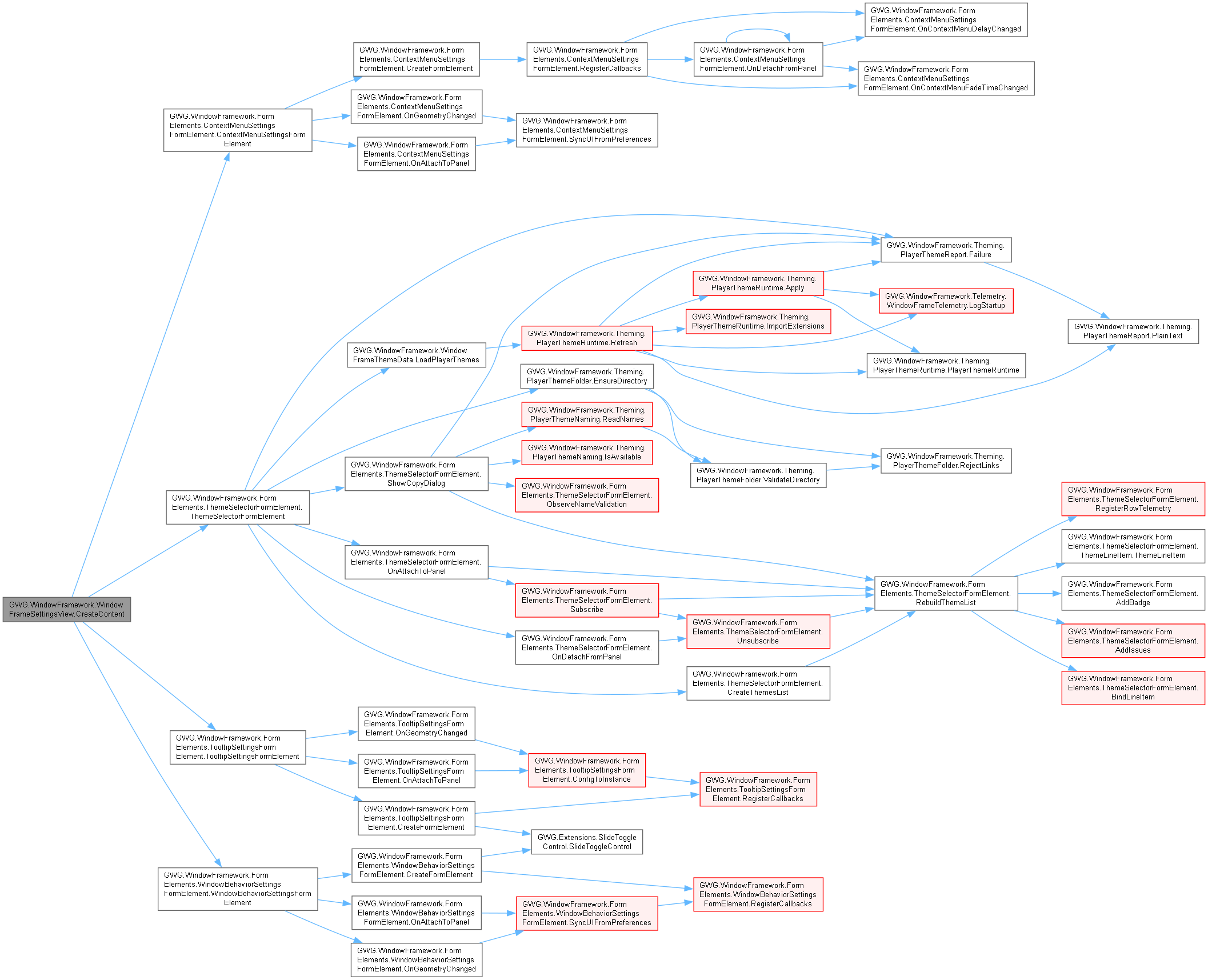
Represents the settings view for the Window Framework. Provides UI controls for adjusting framework settings such as context menu and tooltip behavior, as well as theme management. This view is designed to be used at runtime and can be extended to suit specific project requirements.
More...
|
| | WindowFrameSettingsView () |
| | Initializes a new instance of the WindowFrameSettingsView class. Sets up the window properties and creates the content and footer sections.
|
| | WindowFrame () |
| | Represents a custom UI element serving as a container for window-based content, including a header, content, and footer, providing event handling and theme adaptability for Unity's UI Toolkit.
|
| void | CloseWindow (bool forceAll=false) |
| | Closes the window if allowed.
|
| void | DockTab (WindowFrame incoming) |
| | Docks an incoming standalone WindowFrame into this window as a nested tab.
|
| void | DockTo (WindowDockState targetState) |
| | Applies the specified programmatic dock geometry, preserving initial floating bounds.
|
| void | ExitFullscreenToCursor (Vector2 cursorPos) |
| | Exits fullscreen mode and pre-positions the restored floating window centered horizontally under the cursor.
|
| void | Hide () |
| | Hides the window while keeping it in memory.
|
| void | SetOpeningPosition () |
| | Sets the opening position of the window based on the selected position. Options include: TopLeft, Top, TopRight, Left, Center, Right, BottomLeft, Bottom, BottomRight.
|
| void | Show () |
| | Shows the window by setting its display style to flex and opacity to 1.0f.
|
| void | SwitchToTab (int index) |
| | Switches the active view to display the specified nested tab's content.
|
| void | Undock (Vector2? cursorPos=null) |
| | Undocks the window frame, restoring its pre-dock floating size and positioning.
|
| WindowFrame | UndockTab (int index, Vector2? mousePos=null) |
| | Undocks a nested tab back into an independent standalone WindowFrame.
|
|
| bool | Active [get, set] |
| | Gets or sets whether the window is active.
|
| int | ActiveTabIndex [get] |
| | Gets the current tab-selection index; interpret against the current live tab list.
|
| bool | AllowClose = true [get, set] |
| | Gets or sets whether the window can be closed.
|
| bool | AllowFullscreen = true [get, set] |
| | Determines whether the window frame can toggle to fullscreen mode.
|
| bool | AllowLock [get, set] |
| | Gets or sets whether the window can be locked.
|
| bool | AllowMove = true [get, set] |
| | Gets or sets whether the window can be moved.
|
| bool | AllowMultipleInstances = true [get, set] |
| | Gets or sets whether multiple instances of this window are allowed.
|
| bool | AllowResize [get, set] |
| | Gets or sets whether the window can be resized.
|
| bool | AllowTabDocking = true [get, set] |
| | Gets or sets whether this window can participate in tabbed window nesting and docking.
|
| VisualElement | Content [get, set] |
| | Gets or sets the content area of the window.
|
| override VisualElement | contentContainer [get] |
| | Overrides the contentContainer to return the window's content area instead of the root.
|
| ContextMenuConfig | ContextMenuConfig [get, set] |
| | Gets or sets the context menu configuration for this window.
|
| float | DefaultHeight [get, set] |
| float | DefaultWidth [get, set] |
| WindowDockState | DockState [get, set] |
| | Gets/sets docking metadata; assignment alone does not reposition or resize this window.
|
| WindowFrameDragger | Dragger [get] |
| | Gets the installed header dragger, which can be null before scheduled setup.
|
| VisualElement | FooterToolbar [get, set] |
| | Gets or sets the toolbar in the footer area of the window.
|
| bool | Fullscreen [get, set] |
| | Gets or sets whether the window is in fullscreen mode.
|
| bool | Locked [get, set] |
| | Gets or sets whether the window is locked.
|
| bool | LockedFullscreen [get, set] |
| | Determines whether the fullscreen mode of the window is locked, preventing the user from toggling fullscreen on or off.
|
| bool | LockedToStartPosition [get, set] |
| | Gets or sets whether the window is locked to its start position.
|
| float | MinHeight [get, set] |
| | Gets or sets the minimum height of the window.
|
| float | MinWidth [get, set] |
| | Gets or sets the minimum width of the window.
|
| IReadOnlyList< WindowTabEntry > | NestedTabs [get] |
| | Gets the live nested-tab list through a read-only interface, not an independent snapshot.
|
| string | OptionsMenuTooltip [get, set] |
| | Gets or sets the tooltip for the options menu button.
|
| string | ParentObjectId [get, set] |
| | Gets or sets the ID of the parent object associated with the window.
|
| Rect | PreDockRect [get, set] |
| | Gets/sets floating restore bounds in parent layout coordinates.
|
| string | ResizeAreaTooltip [get, set] |
| | Gets or sets the tooltip for the resize area.
|
| bool | ShowFooter [get, set] |
| | Gets or sets whether the footer is visible.
|
| bool | ShowHeader [get, set] |
| | Gets or sets whether the header is visible.
|
| WindowFramePosition | StartPosition [get, set] |
| | Gets or sets the position of the window frame.
|
| List< StyleSheet > | StyleSheet [get, set] |
| | Gets or sets the stylesheet applied to the window.
|
| string | Title [get, set] |
| | Gets or sets the title of the window.
|
| string | WindowId [get, set] |
| | Gets or sets the unique ID of the window.
|
| bool | WindowMemoryEnabled = false [get, set] |
| | Gets or sets whether the window memory is enabled.
|
| static Action< WindowFrame > | OnWindowFrameAdded |
| | Event triggered when a new WindowFrame is added to the panel.
|
| static Action< WindowFrame > | OnWindowFrameRemoved |
| | Event triggered when a WindowFrame is removed from the panel.
|
Represents the settings view for the Window Framework. Provides UI controls for adjusting framework settings such as context menu and tooltip behavior, as well as theme management. This view is designed to be used at runtime and can be extended to suit specific project requirements.