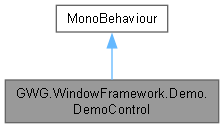
DemoControl is a MonoBehaviour class used exclusively for the demo scene of the Window Framework. It demonstrates the initialization and usage of various window types, including the startup menu, demo control window, and escape menu functionality.
More...
|
| void | Awake () |
| WindowFrame | CreateStartupMenuExample () |
| | Creates a fullscreen startup menu window with custom styling and content. This window serves as an example of how to use the Window Framework for creating menus.
|
| void | OnDestroy () |
| void | Start () |
| | Unity's Start method is called when the script is first initialized. It sets up the demo scene by removing unnecessary elements, creating the demo control window, and adding the startup menu to the UI hierarchy.
|
| void | Update () |
| | Unity's Update method is called once per frame. It listens for the Escape key press to toggle the Example EscapeMenuWindow.
|
DemoControl is a MonoBehaviour class used exclusively for the demo scene of the Window Framework. It demonstrates the initialization and usage of various window types, including the startup menu, demo control window, and escape menu functionality.
◆ Awake()
| void GWG.WindowFramework.Demo.DemoControl.Awake |
( |
| ) |
|
|
inlineprivate |
◆ CreateExampleWindow()
| void GWG.WindowFramework.Demo.DemoControl.CreateExampleWindow |
( |
| ) |
|
|
inline |
Generates a dynamically created generic example window with no content.
◆ CreateStartupMenuExample()
| WindowFrame GWG.WindowFramework.Demo.DemoControl.CreateStartupMenuExample |
( |
| ) |
|
|
inlineprivate |
Creates a fullscreen startup menu window with custom styling and content. This window serves as an example of how to use the Window Framework for creating menus.
- Returns
- A WindowFrame object representing the startup menu.
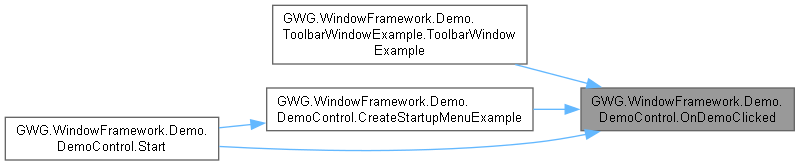
◆ OnDemoClicked()
| void GWG.WindowFramework.Demo.DemoControl.OnDemoClicked |
( |
| ) |
|
|
inline |
◆ OnDestroy()
| void GWG.WindowFramework.Demo.DemoControl.OnDestroy |
( |
| ) |
|
|
inlineprivate |
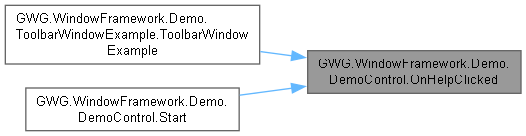
◆ OnHelpClicked()
| void GWG.WindowFramework.Demo.DemoControl.OnHelpClicked |
( |
| ) |
|
|
inline |
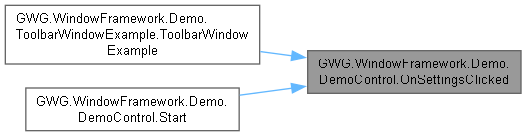
◆ OnSettingsClicked()
| void GWG.WindowFramework.Demo.DemoControl.OnSettingsClicked |
( |
| ) |
|
|
inline |
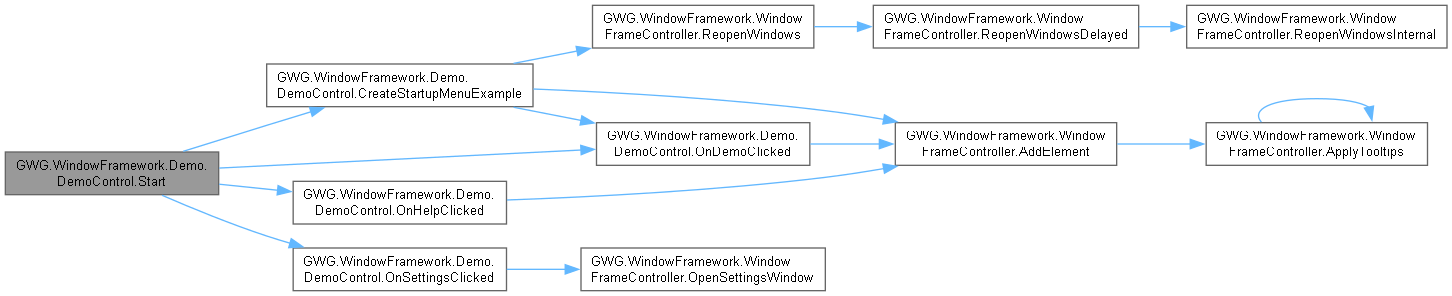
◆ Start()
| void GWG.WindowFramework.Demo.DemoControl.Start |
( |
| ) |
|
|
inlineprivate |
Unity's Start method is called when the script is first initialized. It sets up the demo scene by removing unnecessary elements, creating the demo control window, and adding the startup menu to the UI hierarchy.
◆ Update()
| void GWG.WindowFramework.Demo.DemoControl.Update |
( |
| ) |
|
|
inlineprivate |
Unity's Update method is called once per frame. It listens for the Escape key press to toggle the Example EscapeMenuWindow.
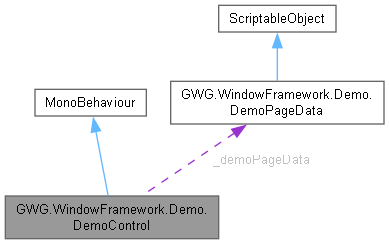
◆ _demoPageData
| DemoPageData GWG.WindowFramework.Demo.DemoControl._demoPageData |
|
private |
◆ _escapeAction
| InputAction GWG.WindowFramework.Demo.DemoControl._escapeAction |
|
private |
◆ rootElement
| VisualElement GWG.WindowFramework.Demo.DemoControl.rootElement |
|
private |
Gets the root element of the UI hierarchy from the WindowFrameController instance. This is the main container where all windows and UI elements are added.
◆ Instance
| DemoControl GWG.WindowFramework.Demo.DemoControl.Instance |
|
staticgetprivate set |